

Overview
Smart snippets generate passages within your sequence content from a prompt and recipient data. You write the surrounding message and use a smart snippet for the part that should be generated for each person. To generate complete emails and task notes from instructions, use agentic sequences.Creating a smart snippet
Navigate to the Snippets tab in the sidebar, select New snippet in the top right corner, and choose Smart snippet. You will see the smart snippet creation screen.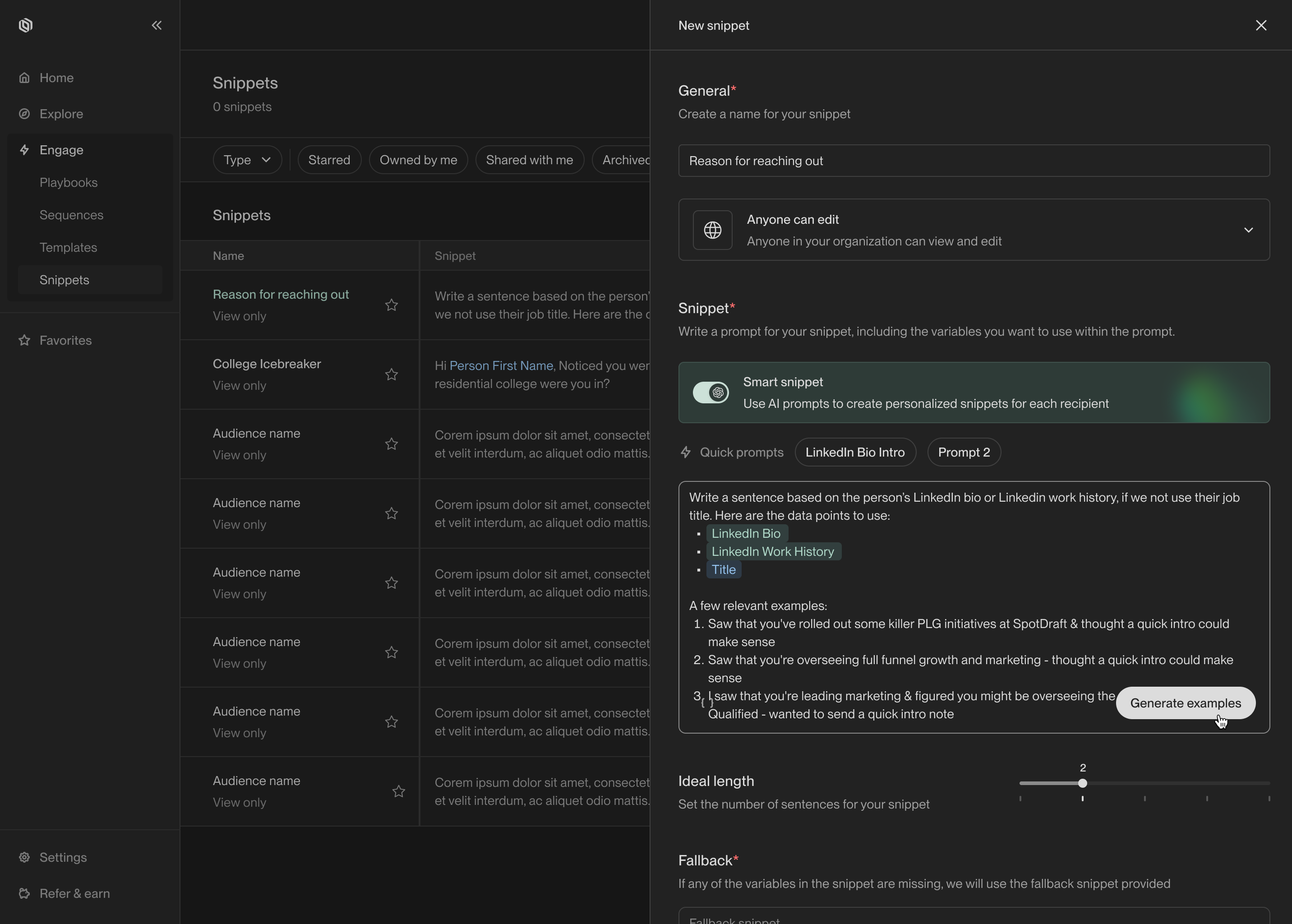
This is where you enter the prompt for your smart snippet.
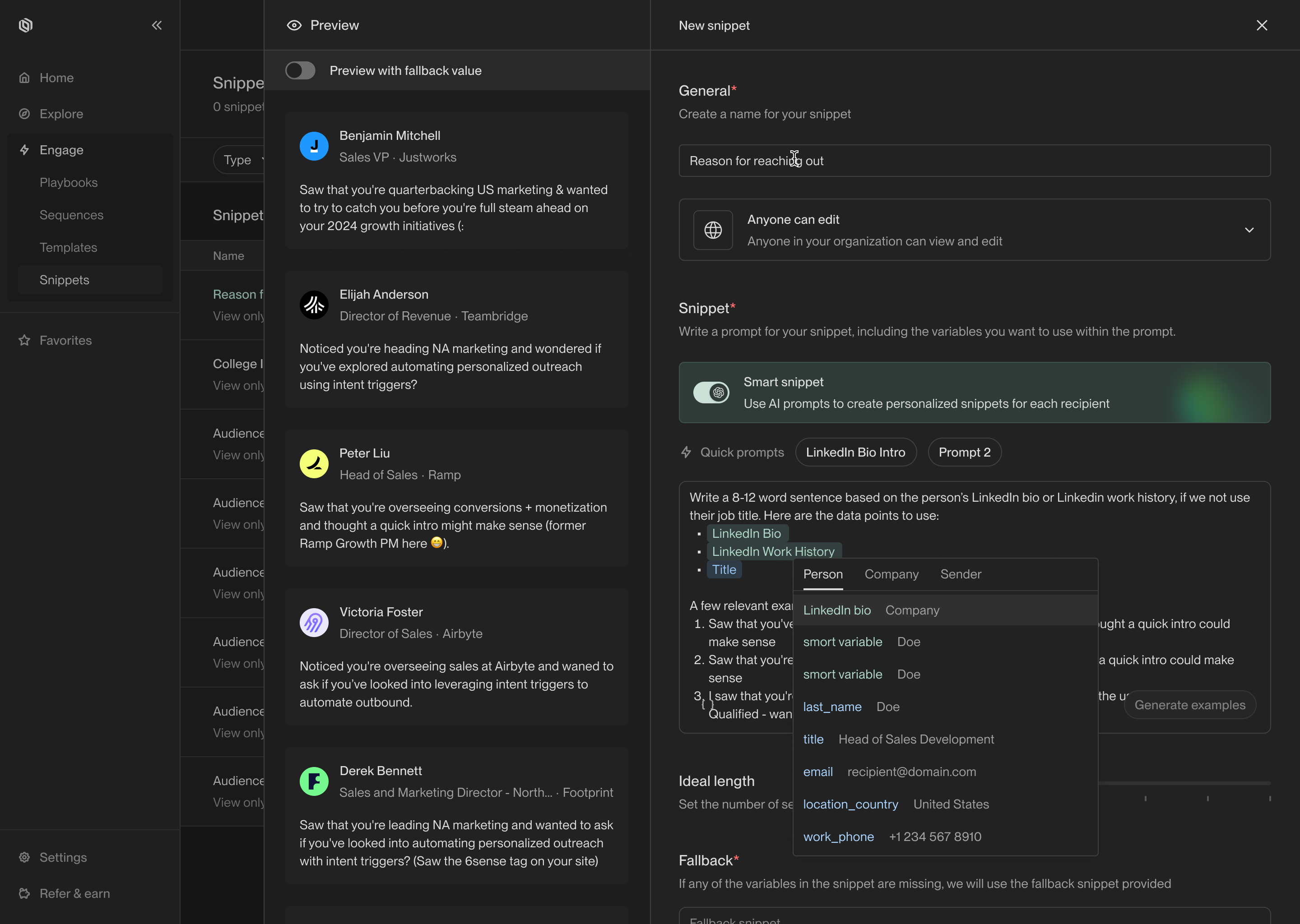
Example snippet generations appear on the left.
Recommendations
Here are a few practices we recommend to get the most out of smart snippets:- Always include at least one template variable for the model to use to personalize the snippet. For example, include some details about the sender, the recipient, or their company. This helps the model write more precise and personalized copy.
- Include 2-3 example outputs to guide the model. Examples help the model understand the tone and structure you’re trying to achieve. The model will often pick up on vocabulary and stylistic choices from your examples.
- Start small. Pick a specific part of the email, such as the salutation or hook, and focus on personalizing that part. Smart snippets are most effective when they’re used to personalize small sections of your email. Remember that you can use as many snippets in an email as you want!