

How does AI Research work?
During onboarding, Unify’s multi-agent system researches your business to understand your products, customers, and value proposition. By analyzing this information, Agents are autonomously able to surface targeted insights to your reps. To do this, Agents generate Observations about the Companies and People that flow through Unify. Observations are key pieces of information relevant to assessing customer fit and buying intent.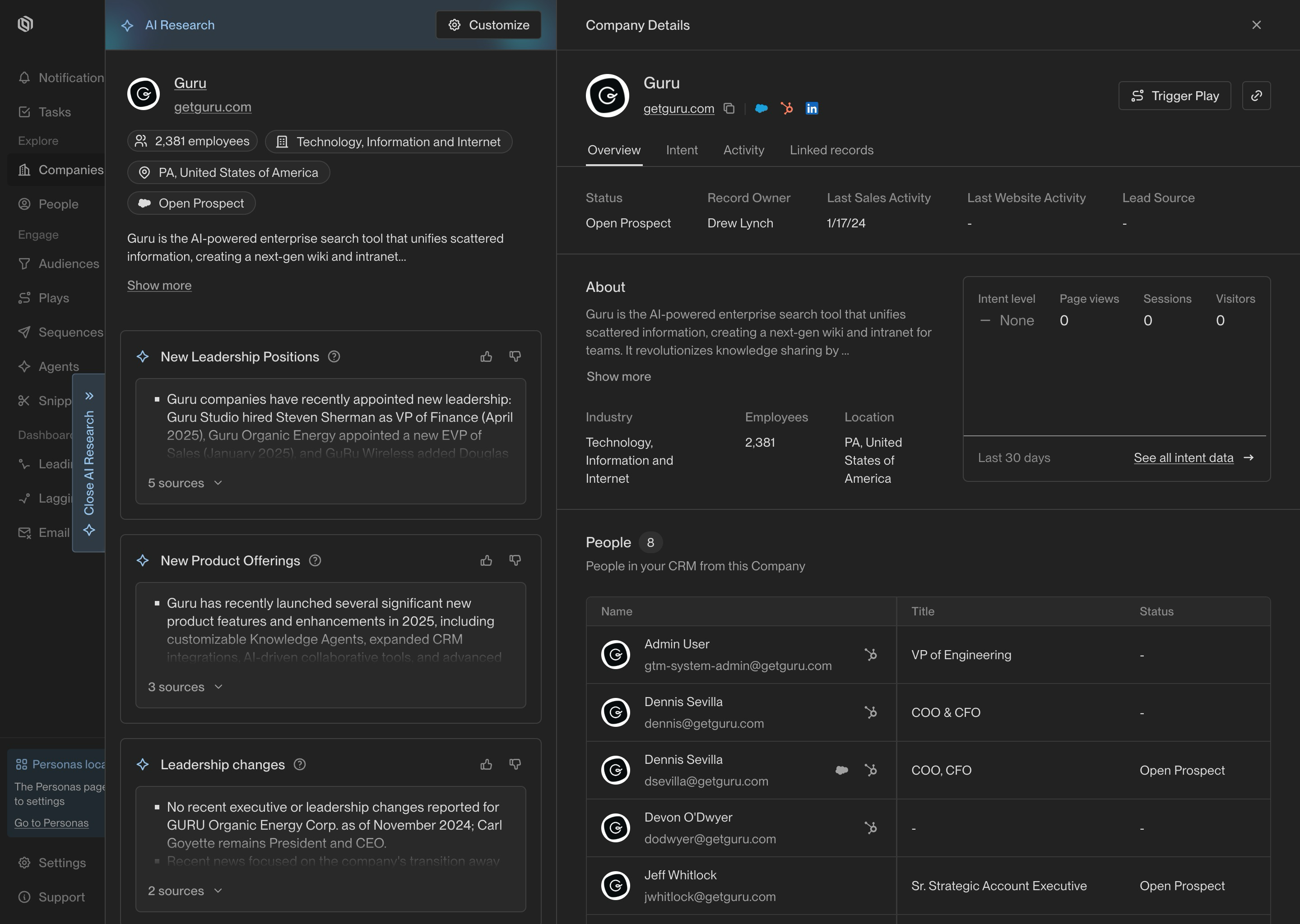
An example of an Observation in AI Research
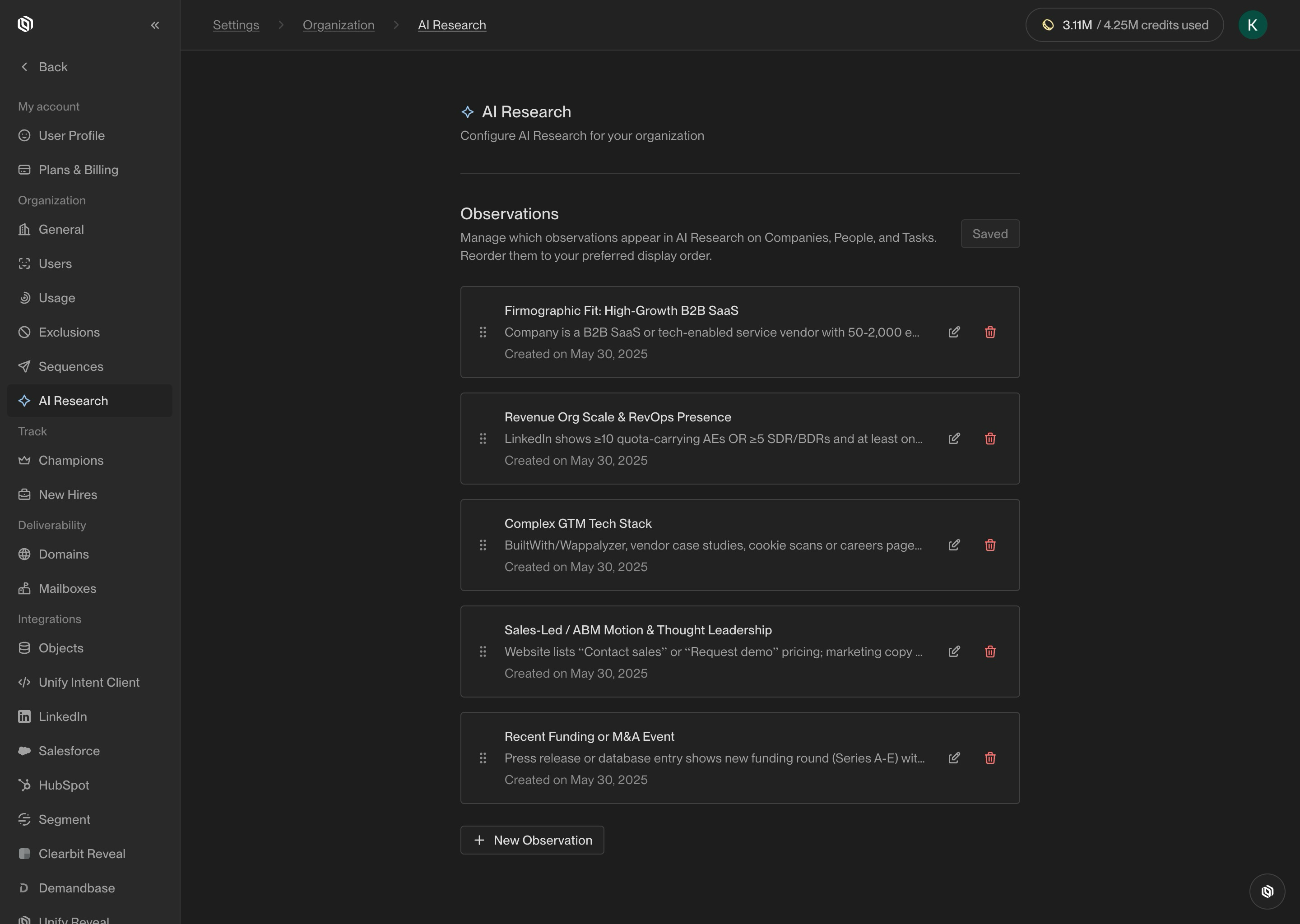
An example of Observations in the AI Research settings page
Accessing AI research
Reports can be accessed by clicking on the AI Research tab on any Task, Company, or Person details page. AI Research will be automatically generated for Tasks, and reports for Companies and People can be generated on demand.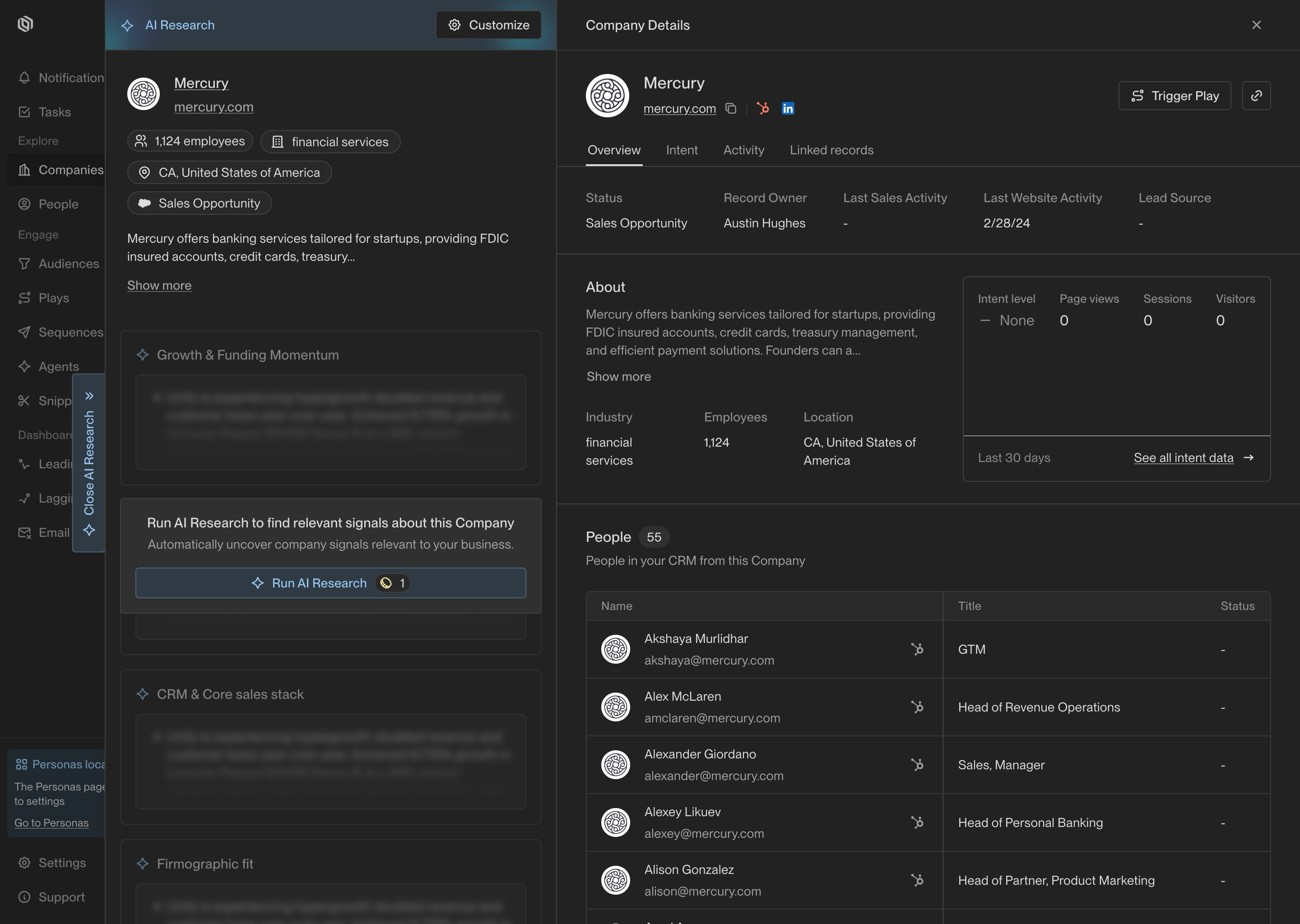
An example of generating AI Research on demand for a Company
Modifying your observations
Admins have the ability to add, modify, and delete Observations (up to a maximum of 8). Observations in the AI Research settings page can be reordered to adjust the order in which they appear in reports. Modifications to the set of Observations will take effect for all future AI Research reports that are generated. You can also regenerate existing reports using the Regenerate button that appears on historical reports.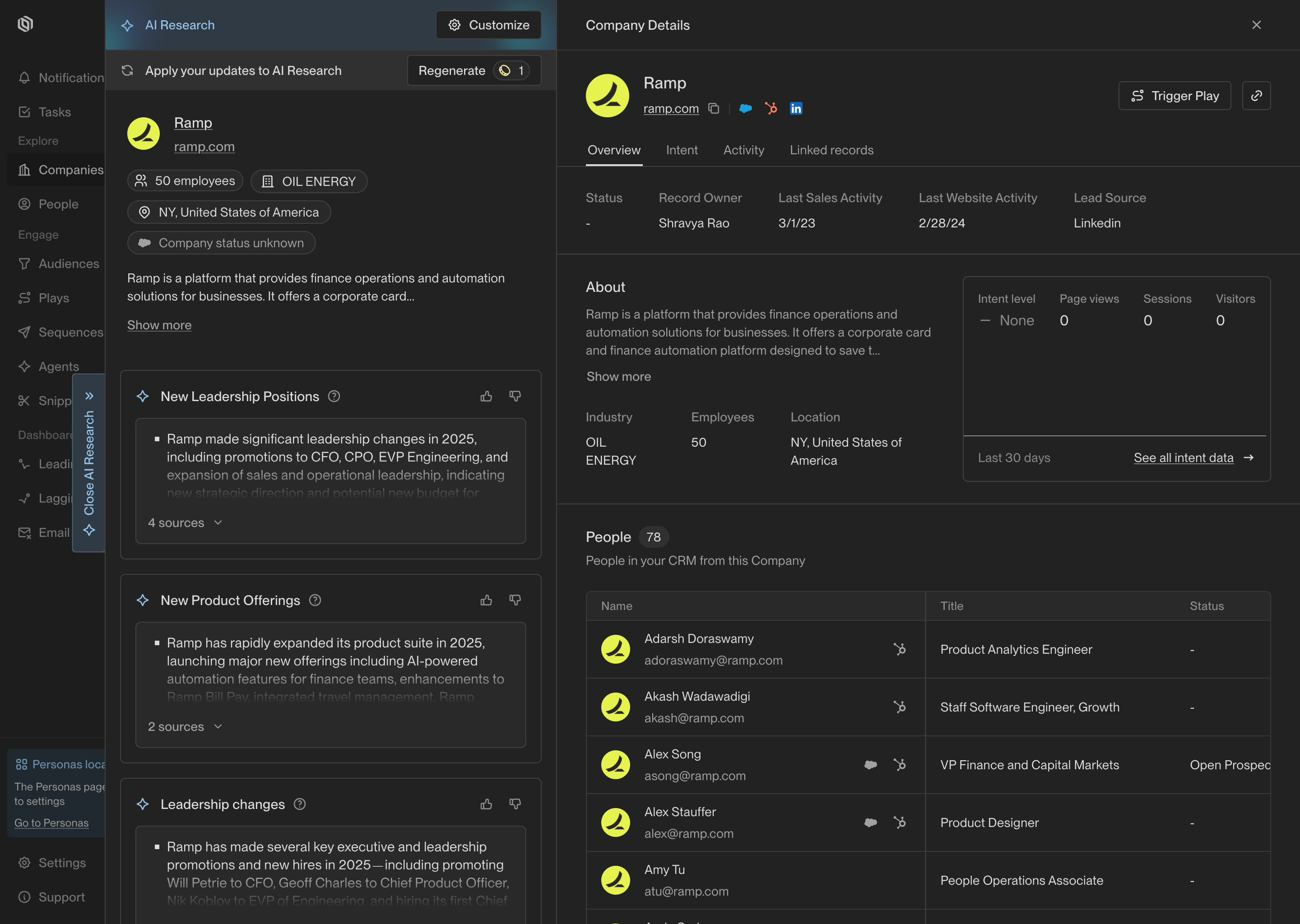
AI Research that can be regenerated after updating Observations
Testing your observations
After configuring Observations, you can run a test to see if the AI Research Agent retrieves what you are looking for. You can either generate Observations for specific companies or select a random sample of companies to test on. Use this to experiment and iterate on the Observation prompts until you are satisfied with the results.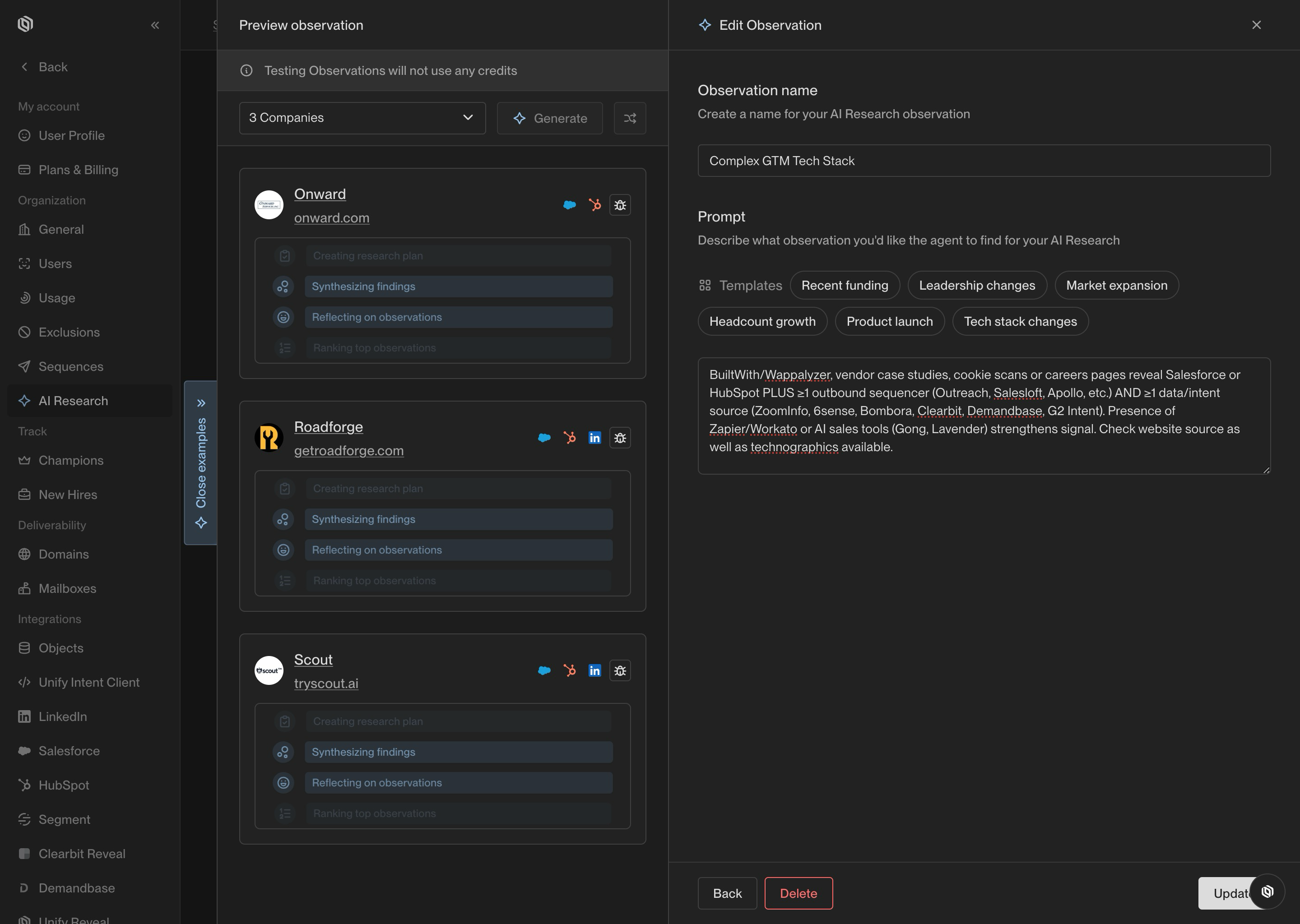
Run Observations on multiple companies to test your prompts