> ## Documentation Index
> Fetch the complete documentation index at: https://docs.unifygtm.com/llms.txt
> Use this file to discover all available pages before exploring further.
# Lookalike companies
> Find companies similar to your most successful customers.
## Overview
We’ve partnered with [Ocean.io](https://www.ocean.io/)—a leading Lookalike data provider—so you can run automated Plays that target lookalikes of your most successful customers.
The integration is fully managed by Unify and included in your plan, so no additional subscription or setup is required.
## Setup
### Build a new Play
Start by setting up a new Play using the Find Lookalike Companies trigger. You can also get started with our [pre-built template](https://app.unifygtm.com/dashboard/plays?templateType=SEQUENCE_LOOKALIKE_COMPANIES).
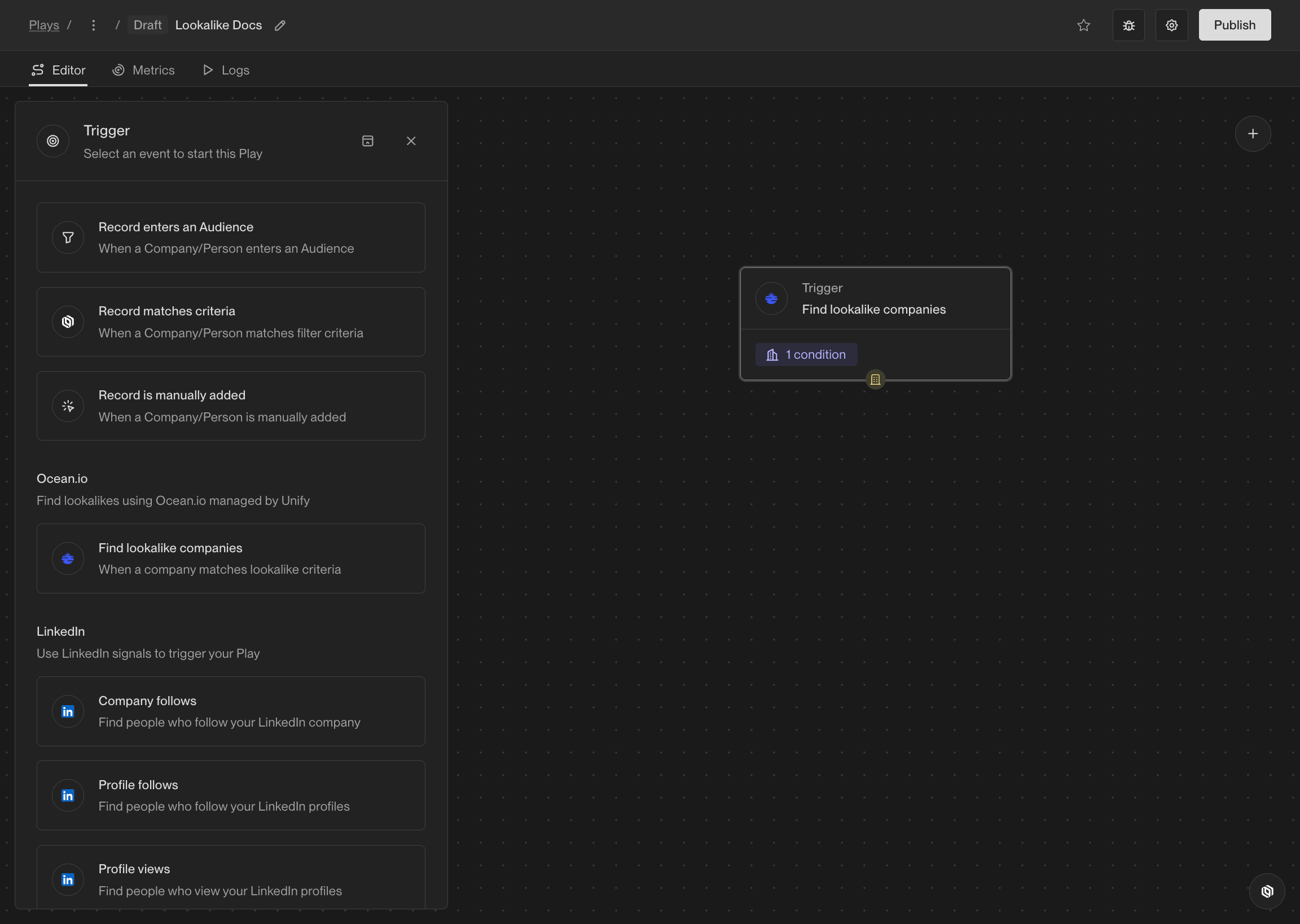 ### Configure the trigger
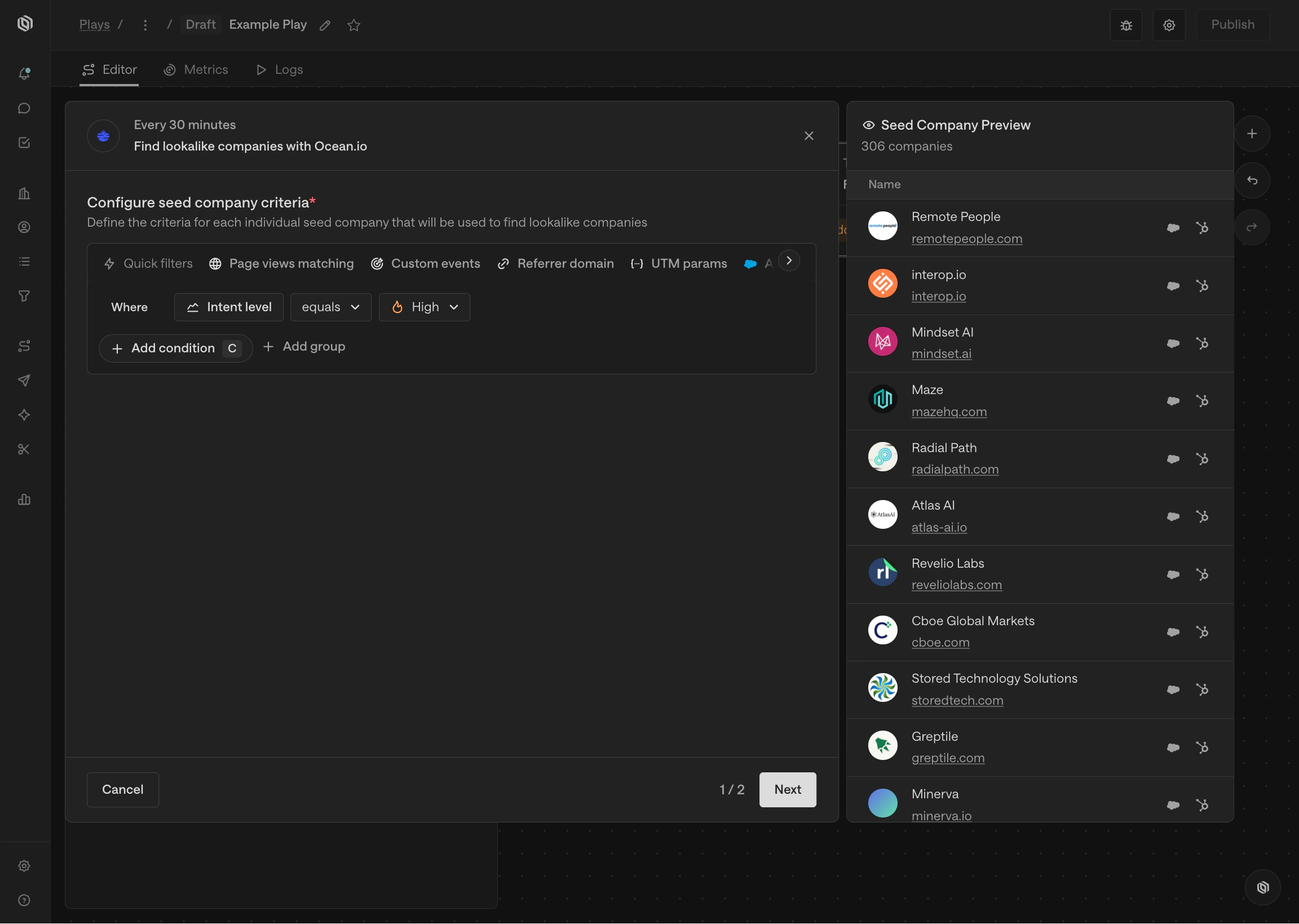
First, configure the seed companies you want to find lookalike companies for. You can do this by adding filters to select companies that meet your criteria,
just like building audiences.
### Configure the trigger
First, configure the seed companies you want to find lookalike companies for. You can do this by adding filters to select companies that meet your criteria,
just like building audiences.
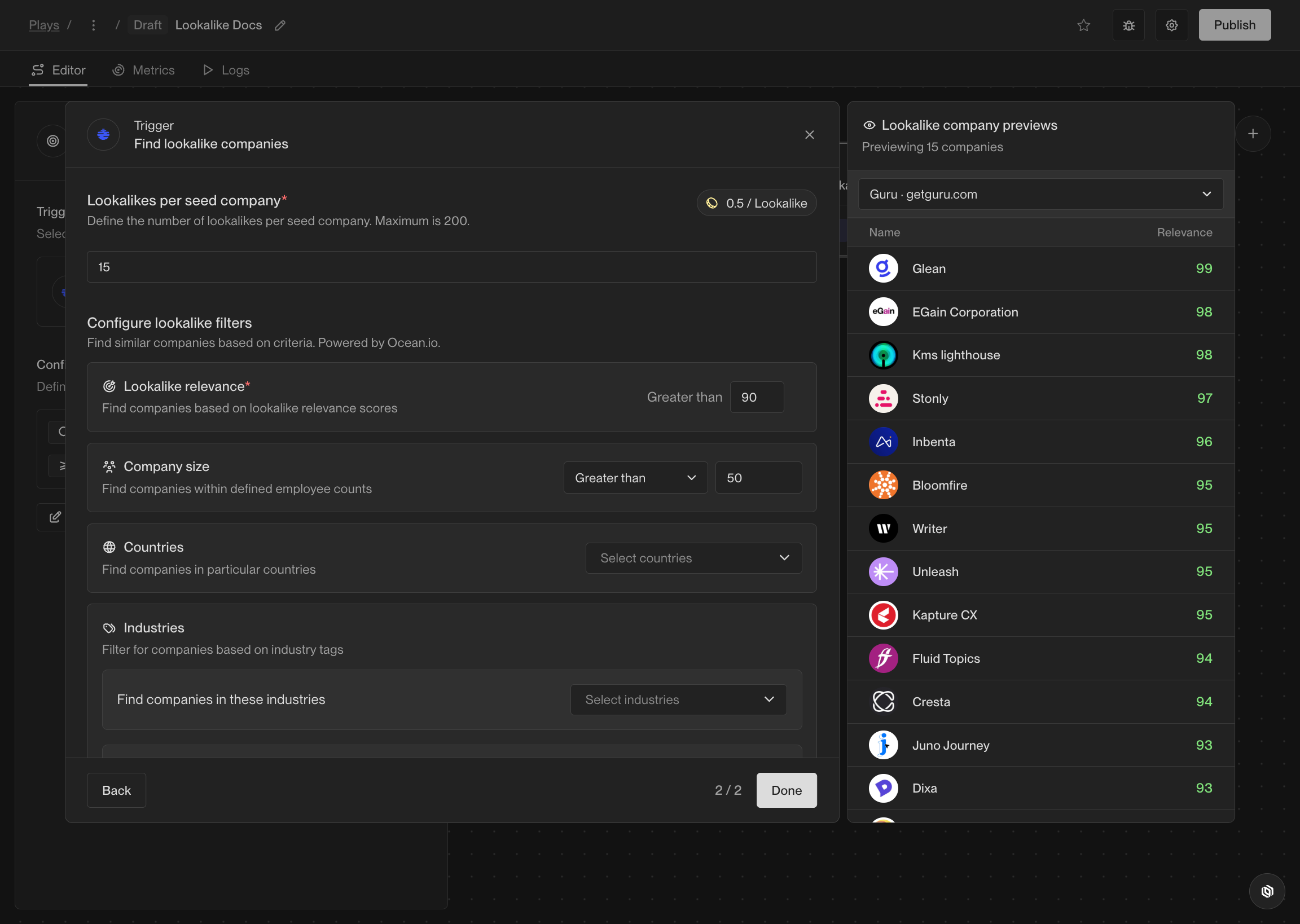
 Next, configure the lookalike companies you want to find for each seed company.
You can set the number of lookalike companies per seed company, minimum relevance score, and more.
The previews on the right will show you a sample of the lookalike companies that will be found based on your configuration.
Next, configure the lookalike companies you want to find for each seed company.
You can set the number of lookalike companies per seed company, minimum relevance score, and more.
The previews on the right will show you a sample of the lookalike companies that will be found based on your configuration.
 Build the rest of your Play as you need, then click Publish to begin finding lookalike companies and running them through your Play.
Learn more about building Plays [here](/reference/plays/overview).
## Frequently asked questions
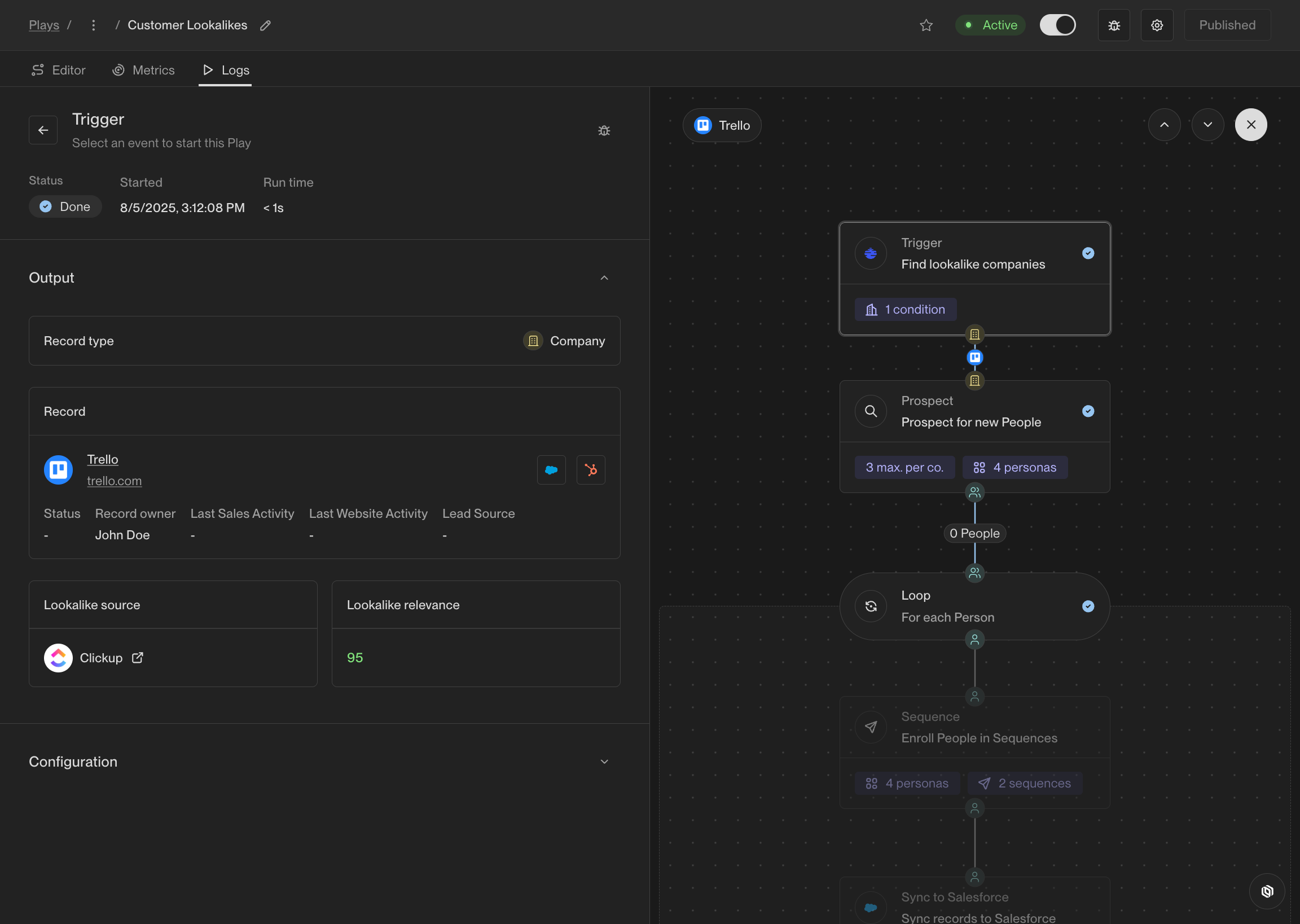
Find your lookalike company in the Play Logs.
Build the rest of your Play as you need, then click Publish to begin finding lookalike companies and running them through your Play.
Learn more about building Plays [here](/reference/plays/overview).
## Frequently asked questions
Find your lookalike company in the Play Logs.
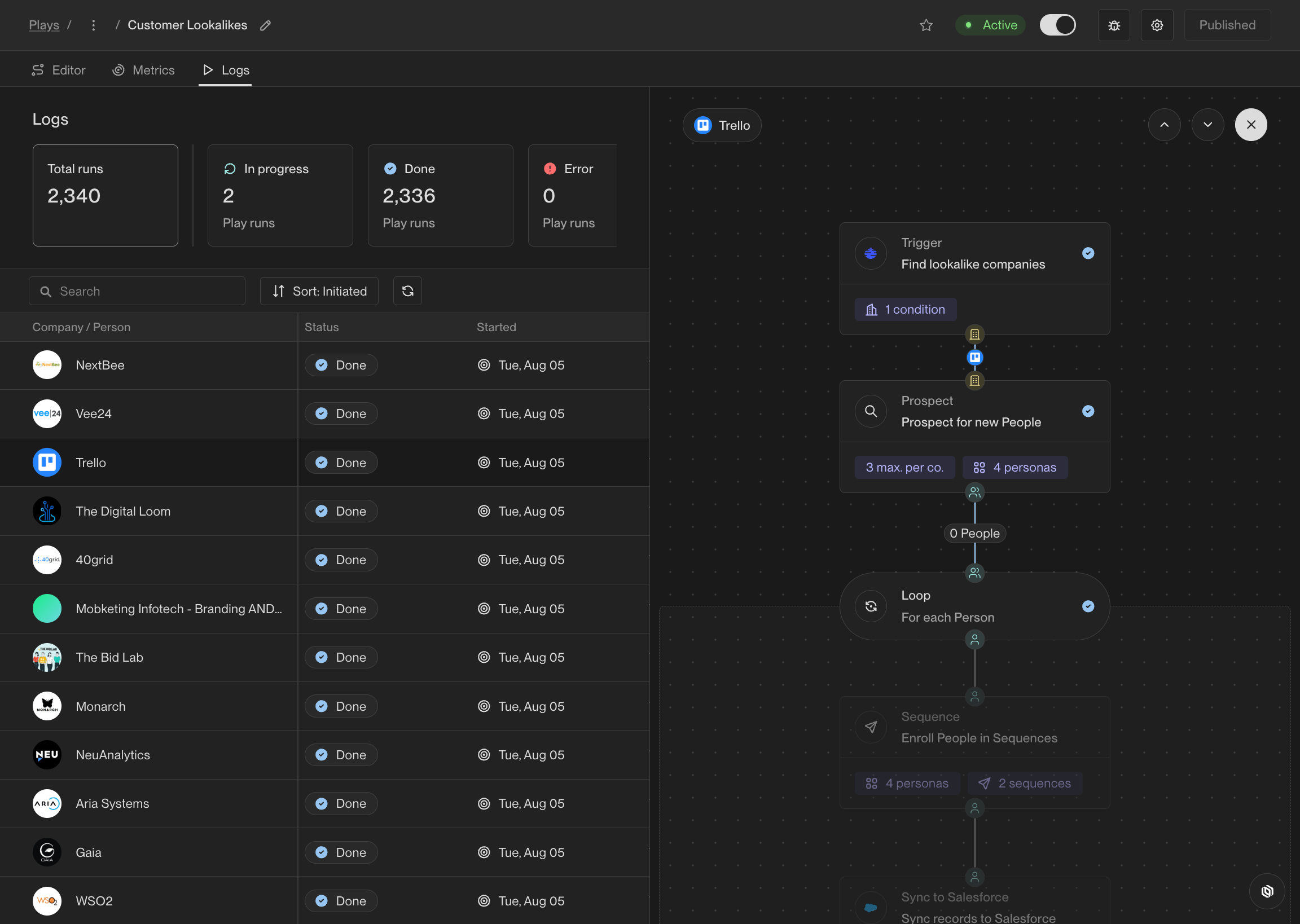 Click the Trigger node to see details like the seed company and the relevance score.
 Depending on the number of seed companies the Play is running on, it can take up to several hours for Play Logs to appear.
Nope! Lookalike companies that fall under your exclusion rules will not run through the Play, and you will not be charged for them.
Depending on the number of seed companies the Play is running on, it can take up to several hours for Play Logs to appear.
Nope! Lookalike companies that fall under your exclusion rules will not run through the Play, and you will not be charged for them.