> ## Documentation Index
> Fetch the complete documentation index at: https://docs.unifygtm.com/llms.txt
> Use this file to discover all available pages before exploring further.
# Custom send schedules overview
> Learn what Custom Send Schedules are and how they control automated email sending within Sequences in Unify.
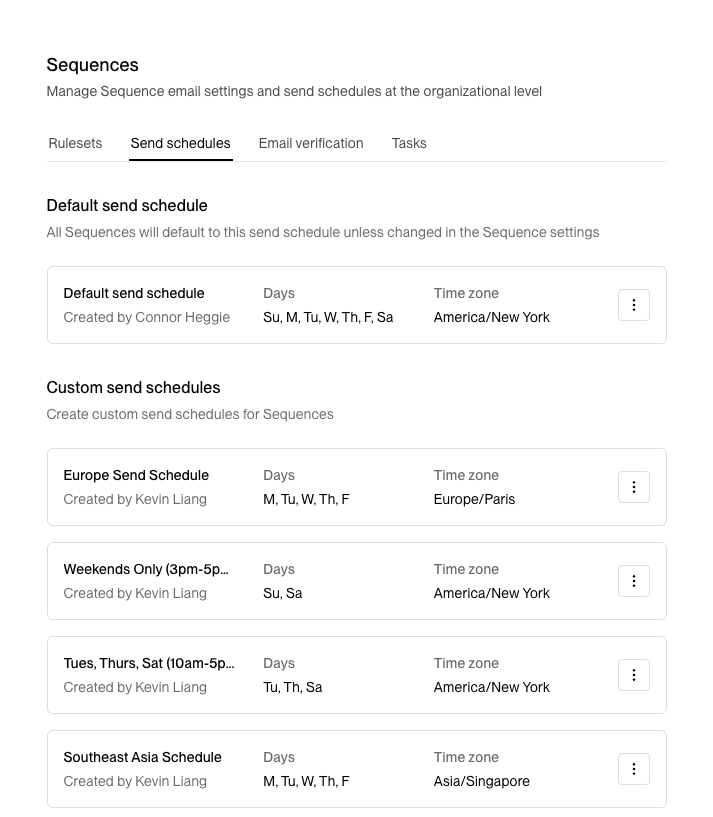
Custom Send Schedules help teams coordinate outreach across time zones, avoid weekends or holidays, and ensure emails are delivered during ideal business hours for recipients.
## What are custom send schedules?
Custom Send Schedules define the specific days and time windows when Unify is allowed to send automated email messages through Sequences.
Each schedule can be customized with:
* **Time zones** — Align delivery windows with your target audience or team region (e.g., America/Los Angeles, Europe/London, Asia/Singapore).
* **Active days** — Choose which weekdays are enabled for sending (e.g., Monday–Friday).
* **Time windows** — Define the daily sending hours to control when messages are delivered within each active day (e.g., 9 AM to 2 PM, 3 PM to 6 PM).
* **Skip dates** — Exclude U.S. holidays or add custom recurring dates to pause sending automatically.