> ## Documentation Index
> Fetch the complete documentation index at: https://docs.unifygtm.com/llms.txt
> Use this file to discover all available pages before exploring further.
# Play triggers
> Triggers represent the events and data sources that a Play runs on.
## Overview
Plays run on individual records, such as companies or people. Triggers define
when a Play should run and what data should be provided to it. Below are the
triggers you can choose from when creating a Play.
## How triggers run
### Timing
Most automated triggers run on a recurring schedule. When the schedule runs,
Unify checks which records currently match the trigger, removes records that
have already run through the Play, and starts new Play executions for the
remaining records.
For **Record matches criteria** and **Record enters an Audience** triggers, this
means a record can run when it already matches at publish time or when it starts
matching later. By default, the same record will not run through the same Play
again after it has already started a Play execution. To allow the same record to
run again after a waiting period, configure [Play settings](/reference/plays/play-settings).
Automated trigger schedules are managed by Unify. Record match and Audience
triggers are evaluated about every 15 minutes. Lookalike company triggers are
evaluated about every 30 minutes.
### Outputs
The record type you choose in the trigger determines the output of the trigger
and which actions can connect directly to it:
| Trigger output | Common next actions |
| -------------- | ------------------------------------------------------------------- |
| Company | Prospect, Get People, Assign owner, CRM sync, Slack alert, Webhook |
| Person | Sequence, Get Company, Assign owner, CRM sync, Slack alert, Webhook |
If a company-triggered Play needs to enroll people in a Sequence, add a
**Prospect** or **Get People** action first. **Prospect** can find net-new or
existing people, while **Get People** only returns people that already exist in
Unify.
## Available triggers
### Champions
This trigger is a shortcut for running a Play on champions that Unify has
tracked for your business. Once selected, you can customize the matching
criteria similar to the record match trigger. This trigger always returns
People.
 In order to use this trigger, you must have enabled and configured champion
tracking in your settings. For more information, see [Champion tracking](/reference/signals/champions).
### Find lookalike companies
This trigger runs a Play on companies that are similar to a set of companies
you specify. This is useful for finding new companies that are similar to your
existing customers or ideal customer profile.
In order to use this trigger, you must have enabled and configured champion
tracking in your settings. For more information, see [Champion tracking](/reference/signals/champions).
### Find lookalike companies
This trigger runs a Play on companies that are similar to a set of companies
you specify. This is useful for finding new companies that are similar to your
existing customers or ideal customer profile.
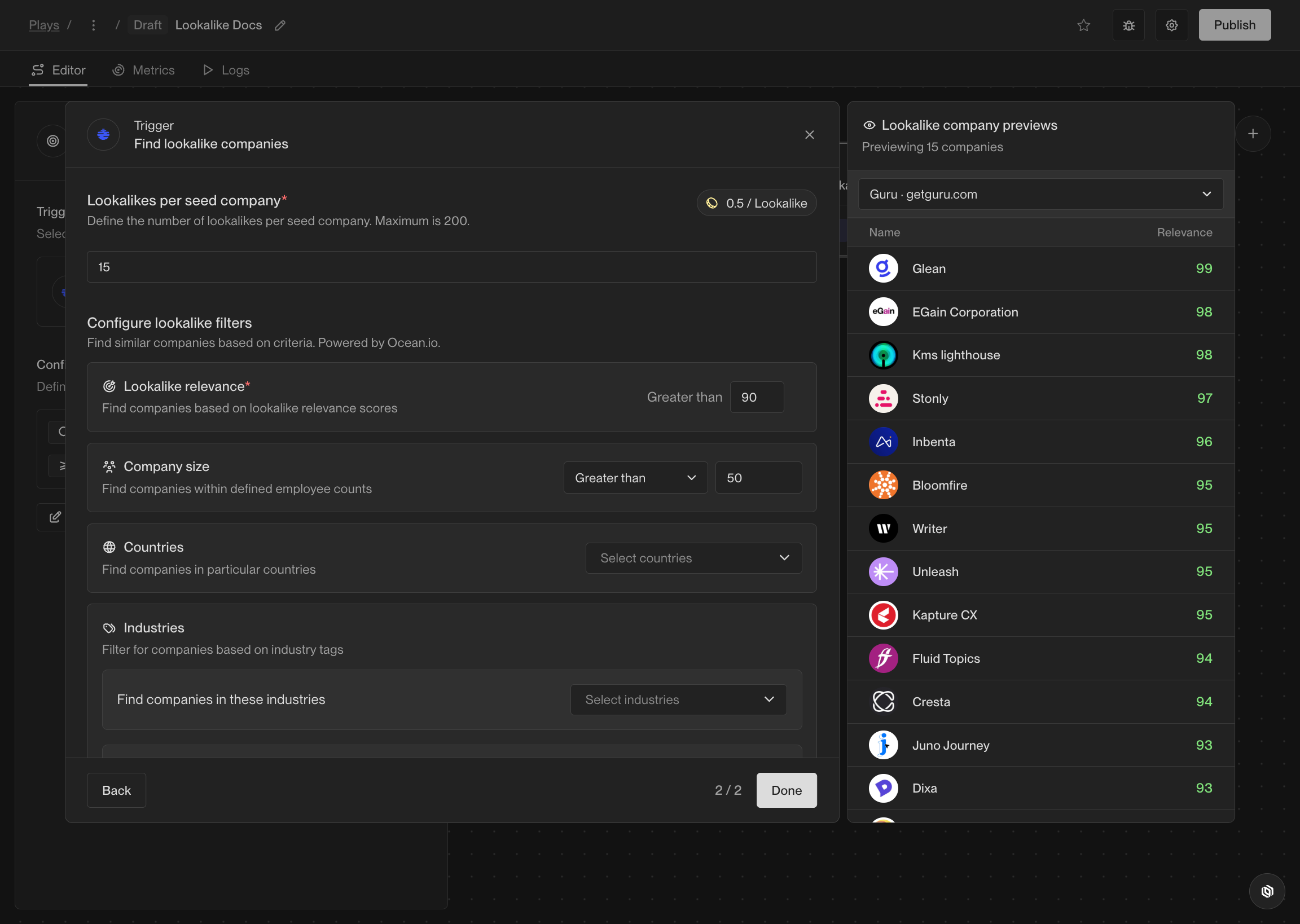
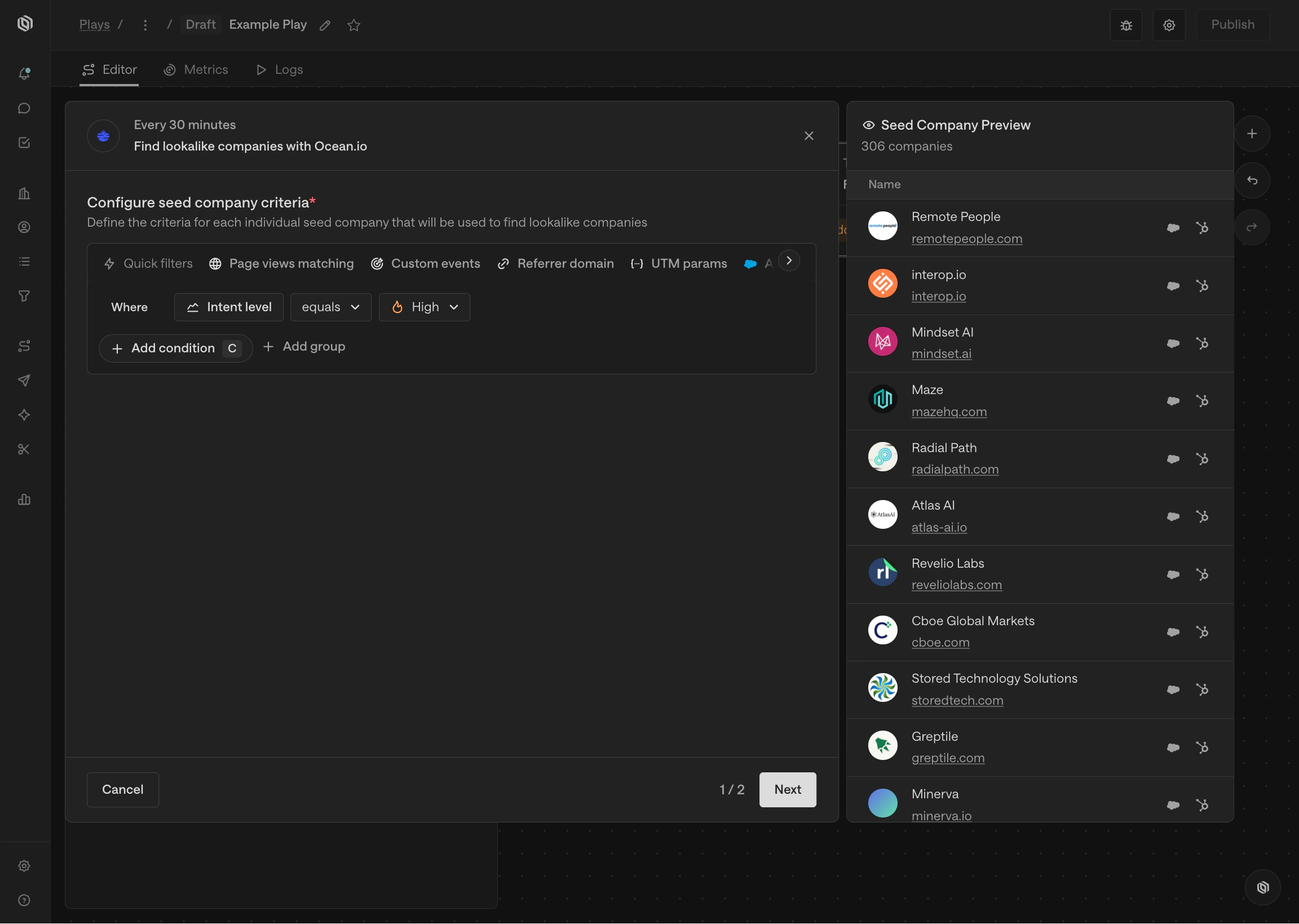 Once you've defined the criteria that specifies which companies to find
lookalikes for, you can define some additional options for the trigger, such as
additional filters to apply or exclusions to enable and disable.
Once you've defined the criteria that specifies which companies to find
lookalikes for, you can define some additional options for the trigger, such as
additional filters to apply or exclusions to enable and disable.
 This trigger is powered by [Ocean.io](https://www.ocean.io/). The integration is
fully managed by Unify and included in your plan, so no additional subscription
or setup is required.
### Record enters an Audience
This trigger runs a Play on companies or people that are in an Audience and have
not already run through the Play. A record enters an Audience when it meets the
Audience criteria for the first time.
This trigger is powered by [Ocean.io](https://www.ocean.io/). The integration is
fully managed by Unify and included in your plan, so no additional subscription
or setup is required.
### Record enters an Audience
This trigger runs a Play on companies or people that are in an Audience and have
not already run through the Play. A record enters an Audience when it meets the
Audience criteria for the first time.
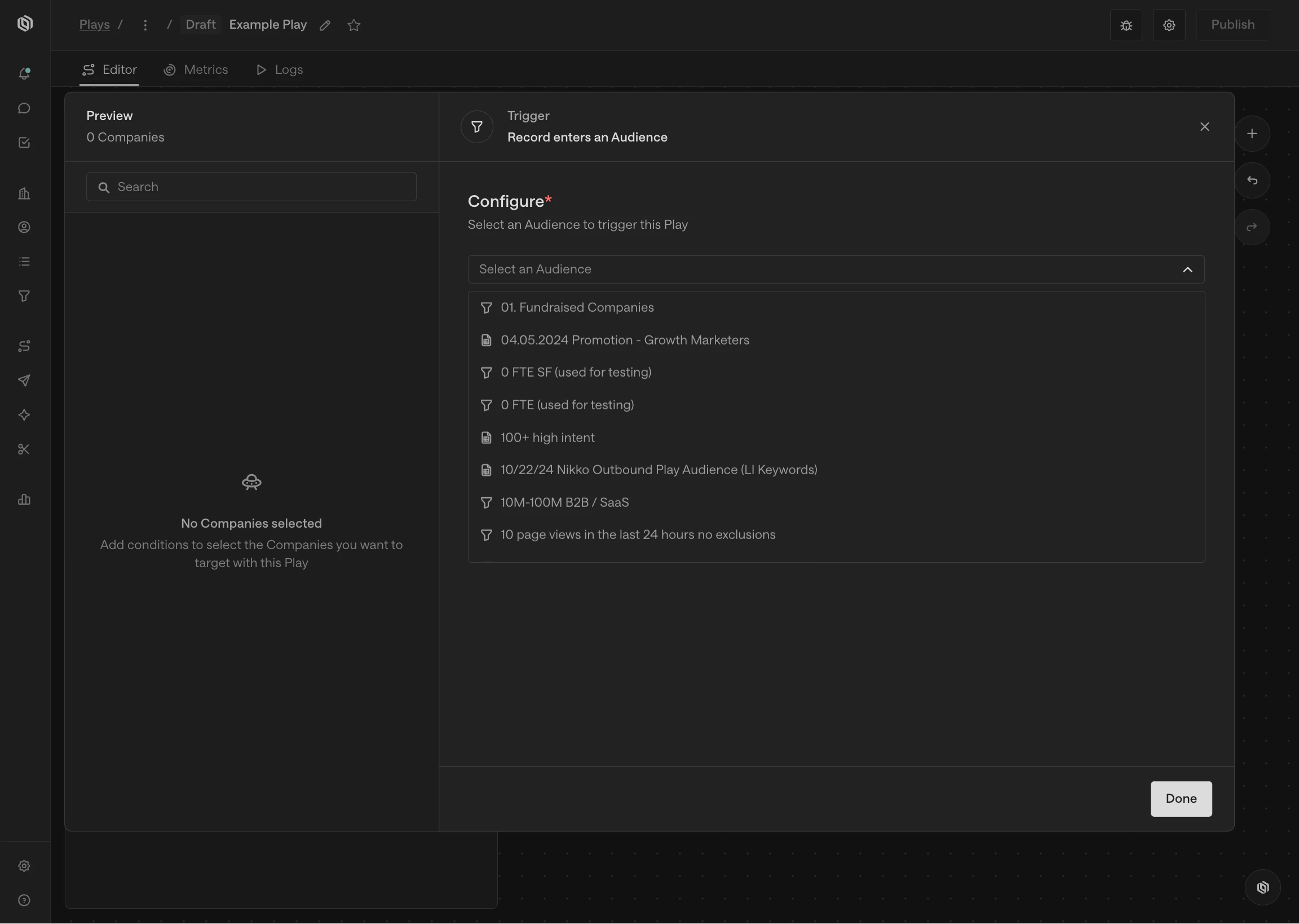 When you select an audience trigger, you will be prompted to select an audience
from the list of audiences you have created. Audiences are reusable in Unify,
which means you can use the same audience in multiple Plays.
You also have the choice to run the Play on either companies that enter the
audience or people that enter the audience. If you select companies, the output
of this trigger will be a company record. Otherwise, the output will be a person
record.
### Record matches criteria
This trigger runs a Play on companies or people that match a set of filters and
have not already run through the Play. This trigger behaves the same as the
Audience trigger, but it doesn't require that you already have an Audience
created. Instead, you can define the filters directly in the Play.
When you select an audience trigger, you will be prompted to select an audience
from the list of audiences you have created. Audiences are reusable in Unify,
which means you can use the same audience in multiple Plays.
You also have the choice to run the Play on either companies that enter the
audience or people that enter the audience. If you select companies, the output
of this trigger will be a company record. Otherwise, the output will be a person
record.
### Record matches criteria
This trigger runs a Play on companies or people that match a set of filters and
have not already run through the Play. This trigger behaves the same as the
Audience trigger, but it doesn't require that you already have an Audience
created. Instead, you can define the filters directly in the Play.
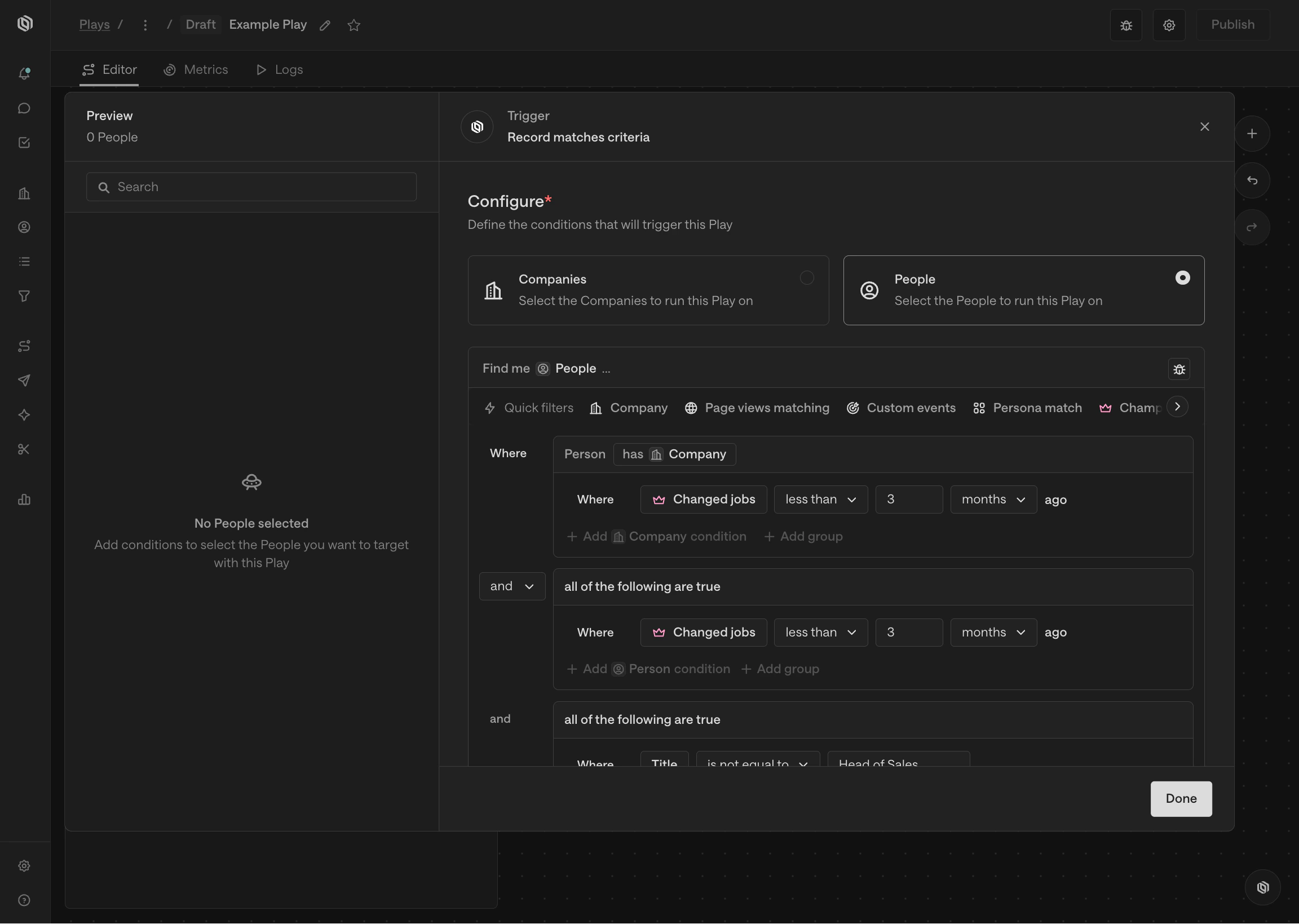
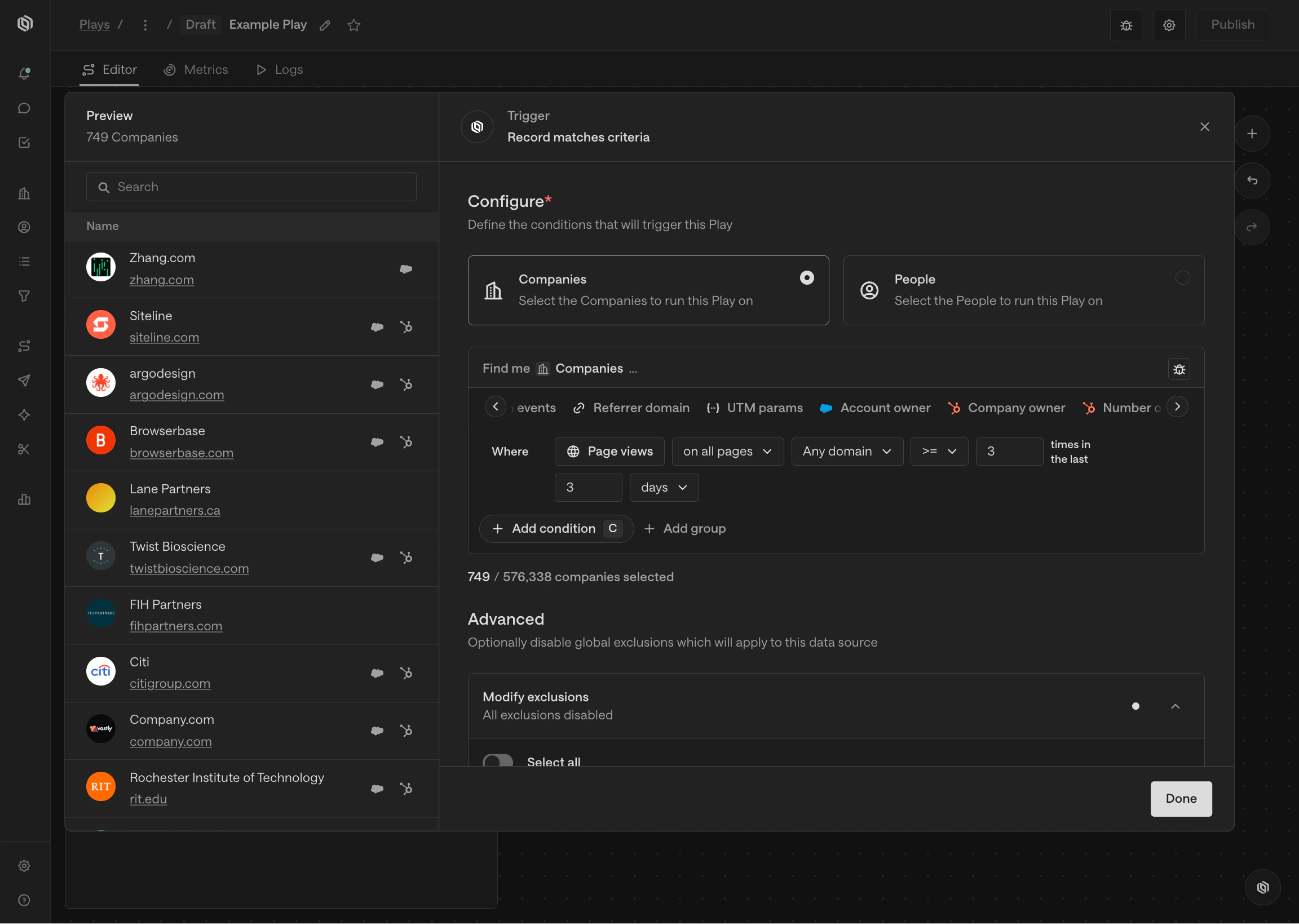 When you select a criteria trigger, you will be prompted to add filters to
select the companies or people that the Play should run on. Just like building
Audiences, you can add as many filters as you like and preview the records that
match the filters before saving the trigger.
As with audience triggers, you can choose to run the Play on either companies or
people. This will determine what type of record the trigger outputs.
### Website visitors
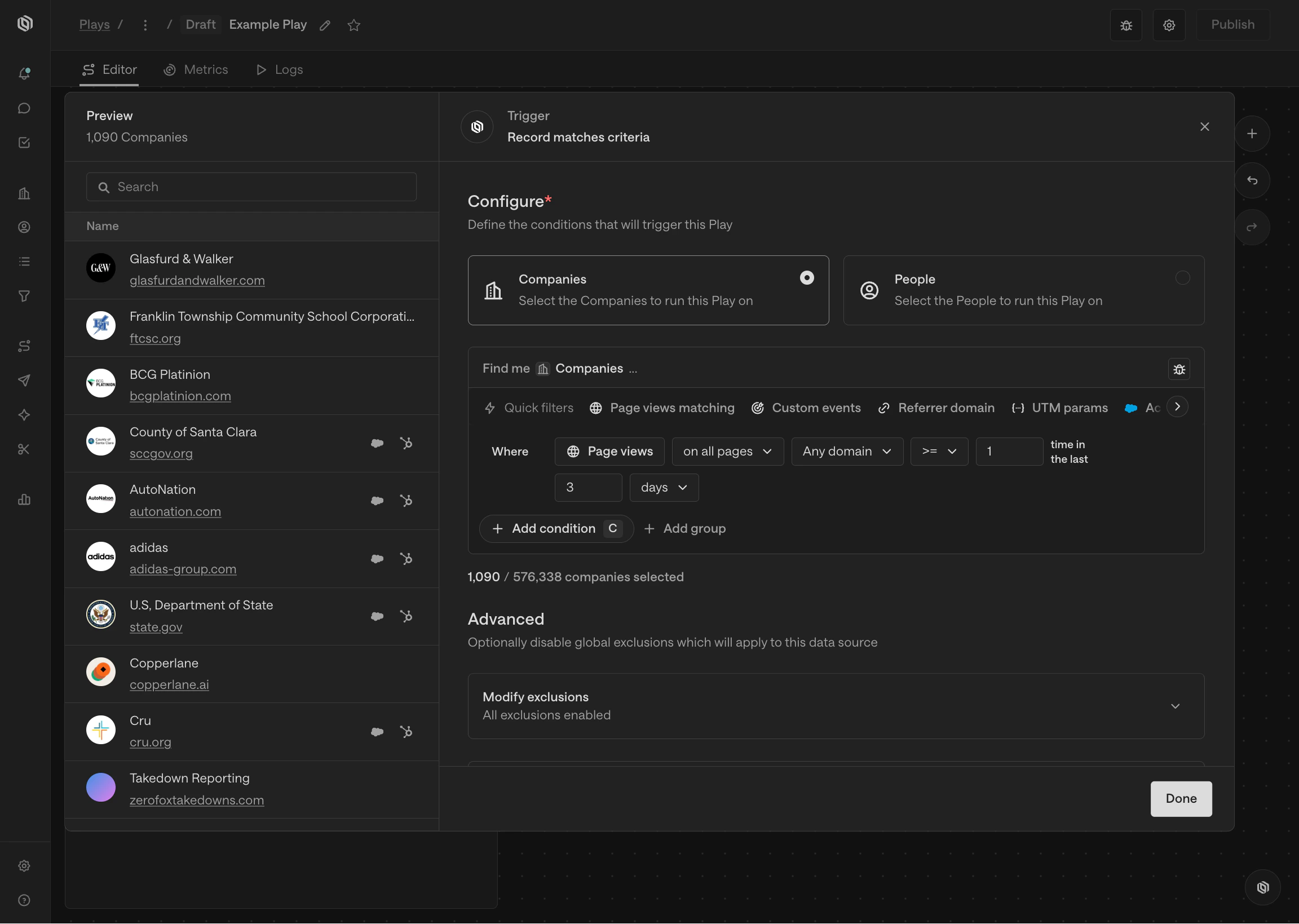
This trigger is a shortcut for running a Play on companies that visit your
website. Once selected, you can customize the matching criteria similar to the
record match trigger. This trigger always returns companies.
When you select a criteria trigger, you will be prompted to add filters to
select the companies or people that the Play should run on. Just like building
Audiences, you can add as many filters as you like and preview the records that
match the filters before saving the trigger.
As with audience triggers, you can choose to run the Play on either companies or
people. This will determine what type of record the trigger outputs.
### Website visitors
This trigger is a shortcut for running a Play on companies that visit your
website. Once selected, you can customize the matching criteria similar to the
record match trigger. This trigger always returns companies.
 ### Record manually added
This trigger runs a Play on a company or person that is manually added by a user.
Unlike automated triggers, this trigger does not run on its own. It only fires
when someone explicitly sends a record to the Play.
### Record manually added
This trigger runs a Play on a company or person that is manually added by a user.
Unlike automated triggers, this trigger does not run on its own. It only fires
when someone explicitly sends a record to the Play.
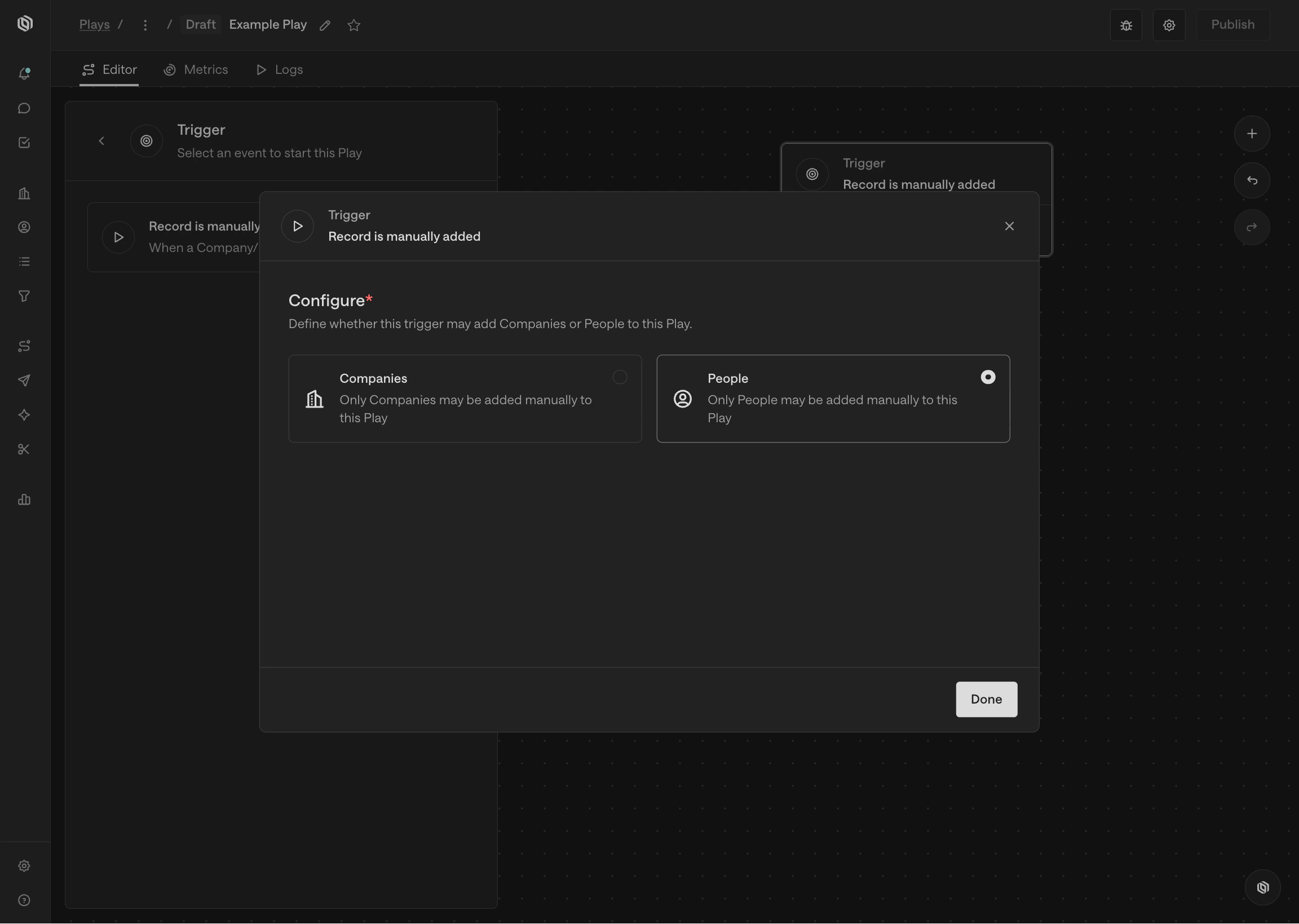 When you select a manual trigger, you will be prompted to choose whether the
Play should accept companies or people. This determines the type of record that
the trigger outputs.
Once the Play is active, you can manually add records to it from anywhere in
Unify where you can select companies or people. This is useful when you want
full control over which records enter a Play, rather than relying on automated
signals or filter criteria.
## Coming soon
There are lots of additional triggers in the works including webhooks, third-party
events, schedules, and more. If you're interested in one that isn't available
yet, [let us know](mailto:support@unifygtm.com)! We'll get you in the beta as
soon as it's ready.
## FAQ
Audience triggers and record match triggers can both be used to accomplish
the same goal. The main difference is that Audience triggers require you to
create an Audience ahead of time, while record match triggers allow you to
define the filters directly in the Play.
Audiences can be reused in multiple Plays, which is useful if you have a set
of filters that you use frequently. Audiences can also be viewed, edited,
and exported from the **Audiences** tab.
Record match triggers are a great option for quickly iterating on a Play or
if you don't want to create an Audience for a one-off Play. You can always
come back later, convert the filters into an Audience, and then swap the
trigger out for an Audience trigger.
Audiences are dynamic lists of companies and people that can change over
time according to the filters you specify. For example, an Audience might
capture all companies that have visited your website in the last 30 days.
When you send an Audience to a manual trigger, you are sending the current
list of companies or people that are in the Audience at that moment. This
is useful if you want to run a Play on a snapshot of the audience but not on
a recurring basis.
By contrast, an Audience trigger will keep checking the Audience over time
and run the Play for matching companies or people that have not already run
through that Play. This is useful if you want the Play to run on records that
match now and records that match in the future.
Automated triggers evaluate matching records when the Play is published and
on future scheduled checks. If you only want future matches, add a time-based
condition to the trigger or Audience, such as a recent activity date, created
date, or signal timestamp that represents the future window you want to
target.
If you need a one-time snapshot instead, use a manual trigger and send the
selected records to the Play manually.
When you select a manual trigger, you will be prompted to choose whether the
Play should accept companies or people. This determines the type of record that
the trigger outputs.
Once the Play is active, you can manually add records to it from anywhere in
Unify where you can select companies or people. This is useful when you want
full control over which records enter a Play, rather than relying on automated
signals or filter criteria.
## Coming soon
There are lots of additional triggers in the works including webhooks, third-party
events, schedules, and more. If you're interested in one that isn't available
yet, [let us know](mailto:support@unifygtm.com)! We'll get you in the beta as
soon as it's ready.
## FAQ
Audience triggers and record match triggers can both be used to accomplish
the same goal. The main difference is that Audience triggers require you to
create an Audience ahead of time, while record match triggers allow you to
define the filters directly in the Play.
Audiences can be reused in multiple Plays, which is useful if you have a set
of filters that you use frequently. Audiences can also be viewed, edited,
and exported from the **Audiences** tab.
Record match triggers are a great option for quickly iterating on a Play or
if you don't want to create an Audience for a one-off Play. You can always
come back later, convert the filters into an Audience, and then swap the
trigger out for an Audience trigger.
Audiences are dynamic lists of companies and people that can change over
time according to the filters you specify. For example, an Audience might
capture all companies that have visited your website in the last 30 days.
When you send an Audience to a manual trigger, you are sending the current
list of companies or people that are in the Audience at that moment. This
is useful if you want to run a Play on a snapshot of the audience but not on
a recurring basis.
By contrast, an Audience trigger will keep checking the Audience over time
and run the Play for matching companies or people that have not already run
through that Play. This is useful if you want the Play to run on records that
match now and records that match in the future.
Automated triggers evaluate matching records when the Play is published and
on future scheduled checks. If you only want future matches, add a time-based
condition to the trigger or Audience, such as a recent activity date, created
date, or signal timestamp that represents the future window you want to
target.
If you need a one-time snapshot instead, use a manual trigger and send the
selected records to the Play manually.