> ## Documentation Index
> Fetch the complete documentation index at: https://docs.unifygtm.com/llms.txt
> Use this file to discover all available pages before exploring further.
# Attribute value types
> Learn about the types of attribute values and how they work.
## Overview
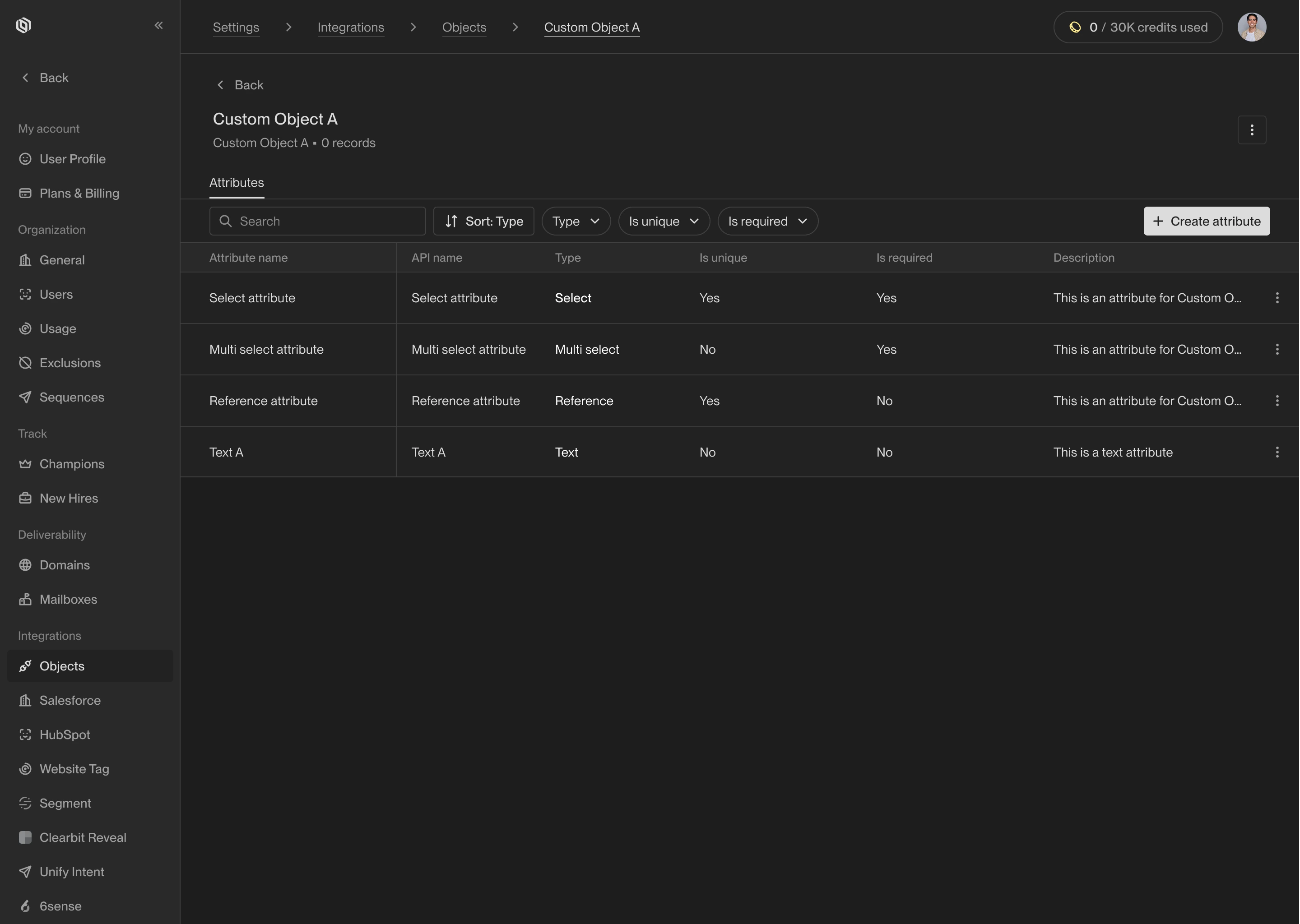
Every attribute on an object in Unify has a value type which specifies what kind
of values it contains. Some value types are simple, such as text or numbers.
Others are more sophisticated, such as references to other objects.
 ## Available value types
### Address
Address values represent physical locations. They contain information like the
country, state or province, city, street address, and postal code. When address
values are synced between Unify and external systems, they are translated as
necessary.
### Boolean
Boolean values can be either `true` or `false`. They can be used to represent
binary choices, such as whether a user has opted in to receive marketing emails.
### Country
Country values represent countries. Country values are validated to ensure they
match a recognized country code or name. When synced with external systems,
country values are translated to or from codes and names as necessary.
### Currency
Currency values represent monetary amounts. They include a numeric value and a
currency code (such as USD for US dollars or EUR for euros). Currency values can
be used to represent prices, deal amounts, or other financial figures.
### Date
Date values represent specific dates without time information.
### Datetime
Datetime values represent specific points in time, including both date and time
information.
### Decimal
Decimal values represent numbers with decimal points. They can be used for
financial figures, measurements, or any other numeric data that requires
precision.
### Email address
Email address values represent email addresses. They are validated to ensure
they match the format of a valid email address.
### Integer
Integer values represent whole numbers. They do not contain a decimal or
fractional component.
### Multiselect
Multiselect values allow users to select multiple options from a predefined
list. The list of options is defined on the attribute and can be modified as
needed to add or remove options.
### Phone number
Phone number values represent telephone numbers. They are validated to ensure
they match the format of a valid phone number, which may include country codes,
area codes, and local numbers. Extensions can also be included if needed.
### Reference
Reference values link to records in other objects. They allow you to create
relationships between different objects in Unify. When creating a reference
attribute, you must specify the target object that the reference will point to.
### Select
Select values allow users to select a single option from a predefined list.
The list of options is defined on the attribute and can be modified as needed to
add or remove options.
### Text
Text values represent plain text strings. They can be used for names,
descriptions, or other freeform text data.
### Time zone
Time zone values represent an [IANA time zone identifier](https://en.wikipedia.org/wiki/List_of_tz_database_time_zones)
(e.g., `America/New_York`). They identify the time zone associated with a record.
### URL
URL values represent web addresses or domains. They are validated to ensure they
match the format of a valid domain or URL. This can include full URLs (e.g.,
`https://example.com/path/to/page`) or just domains (e.g., `example.com`).
The **Company** object has an attribute called **Domain** with special
validation and preprocessing. This behavior is intended to prevent duplicate
company records:
1. The domain is normalized by removing the protocol (e.g., `https://`) and
any trailing information (e.g., `/some-path?query=string`).
2. Redirects are followed to prevent duplicates when a company has multiple
domains that redirect to the same website. For example, `https://email.ing`
redirects to `https://unifygtm.com`, so both domains will be treated as the
same company.
This behavior is specific to the **Company** object and its **Domain**
attribute.
### UUID
UUID values represent [universally unique identifiers](https://en.wikipedia.org/wiki/Universally_unique_identifier).
UUIDs are commonly used to uniquely identify records in databases or software
systems.
Specifically, UUID attribute values in Unify represent version 4 UUIDs, which
are formatted like `d81393a0-1678-4192-b57b-a93c76399856`. For other versions,
use the **Text** value type instead.
## Available value types
### Address
Address values represent physical locations. They contain information like the
country, state or province, city, street address, and postal code. When address
values are synced between Unify and external systems, they are translated as
necessary.
### Boolean
Boolean values can be either `true` or `false`. They can be used to represent
binary choices, such as whether a user has opted in to receive marketing emails.
### Country
Country values represent countries. Country values are validated to ensure they
match a recognized country code or name. When synced with external systems,
country values are translated to or from codes and names as necessary.
### Currency
Currency values represent monetary amounts. They include a numeric value and a
currency code (such as USD for US dollars or EUR for euros). Currency values can
be used to represent prices, deal amounts, or other financial figures.
### Date
Date values represent specific dates without time information.
### Datetime
Datetime values represent specific points in time, including both date and time
information.
### Decimal
Decimal values represent numbers with decimal points. They can be used for
financial figures, measurements, or any other numeric data that requires
precision.
### Email address
Email address values represent email addresses. They are validated to ensure
they match the format of a valid email address.
### Integer
Integer values represent whole numbers. They do not contain a decimal or
fractional component.
### Multiselect
Multiselect values allow users to select multiple options from a predefined
list. The list of options is defined on the attribute and can be modified as
needed to add or remove options.
### Phone number
Phone number values represent telephone numbers. They are validated to ensure
they match the format of a valid phone number, which may include country codes,
area codes, and local numbers. Extensions can also be included if needed.
### Reference
Reference values link to records in other objects. They allow you to create
relationships between different objects in Unify. When creating a reference
attribute, you must specify the target object that the reference will point to.
### Select
Select values allow users to select a single option from a predefined list.
The list of options is defined on the attribute and can be modified as needed to
add or remove options.
### Text
Text values represent plain text strings. They can be used for names,
descriptions, or other freeform text data.
### Time zone
Time zone values represent an [IANA time zone identifier](https://en.wikipedia.org/wiki/List_of_tz_database_time_zones)
(e.g., `America/New_York`). They identify the time zone associated with a record.
### URL
URL values represent web addresses or domains. They are validated to ensure they
match the format of a valid domain or URL. This can include full URLs (e.g.,
`https://example.com/path/to/page`) or just domains (e.g., `example.com`).
The **Company** object has an attribute called **Domain** with special
validation and preprocessing. This behavior is intended to prevent duplicate
company records:
1. The domain is normalized by removing the protocol (e.g., `https://`) and
any trailing information (e.g., `/some-path?query=string`).
2. Redirects are followed to prevent duplicates when a company has multiple
domains that redirect to the same website. For example, `https://email.ing`
redirects to `https://unifygtm.com`, so both domains will be treated as the
same company.
This behavior is specific to the **Company** object and its **Domain**
attribute.
### UUID
UUID values represent [universally unique identifiers](https://en.wikipedia.org/wiki/Universally_unique_identifier).
UUIDs are commonly used to uniquely identify records in databases or software
systems.
Specifically, UUID attribute values in Unify represent version 4 UUIDs, which
are formatted like `d81393a0-1678-4192-b57b-a93c76399856`. For other versions,
use the **Text** value type instead.