> ## Documentation Index
> Fetch the complete documentation index at: https://docs.unifygtm.com/llms.txt
> Use this file to discover all available pages before exploring further.
# Objects in Unify
> Understand the data platform that powers Unify.
## What are objects?
Objects contain records within Unify. Each object has attributes, which are the
values and relationships that describe the records. Unify provides lots of
built-in objects, such as companies and people, and also supports custom
objects.
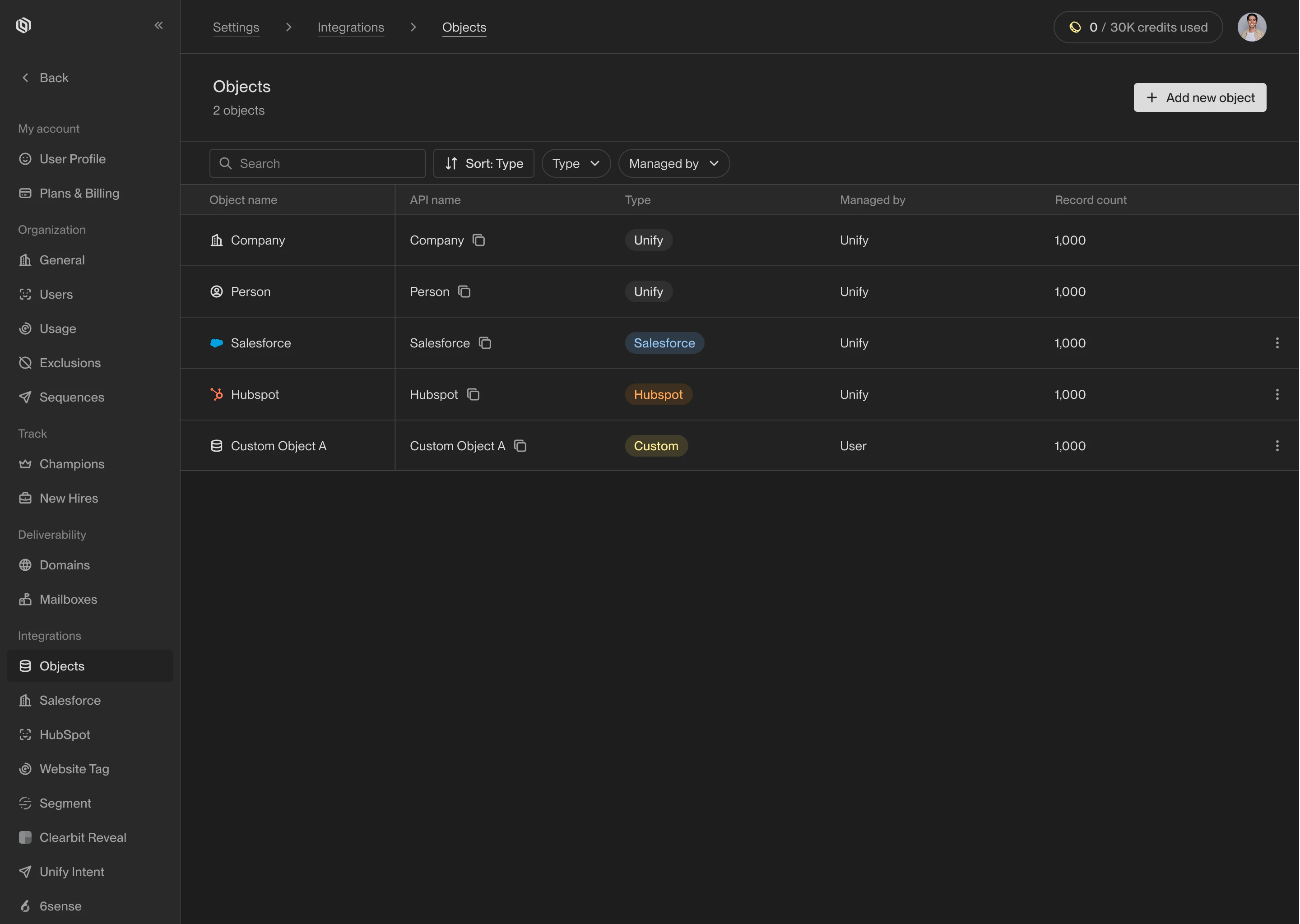 For example, the **Person** object holds records that represent people. Each
person has attributes, such as their name, email address, and the company they
work at. People may also be linked to custom objects, such as a record from your
CRM or data warehouse.
## Use cases
With custom objects, you can connect external data sources to Unify and use them
as intent signals or for personalization. Here are just a few uses cases for
custom objects:
* **Product-led growth**: Connect product usage data to Plays and Sequences and
engage with users by sending one-to-one messaging based on their product
journey.
* **Third-party signals**: Bring your own signals and use them in Plays power
AI Agents, prospect for relevant contacts, enroll in Sequences, and more.
* **Custom business logic**: Use the data relevant to your business to filter
records, build exclusions, and automate marketing and sales processes.
Unify provides comprehensive developer APIs, native data warehouse integrations,
and other connectors to work with your data no matter where it lives.
## Get started
Learn how to create new objects and manage existing ones in Unify.
Learn how to create custom attributes on objects in Unify.
For example, the **Person** object holds records that represent people. Each
person has attributes, such as their name, email address, and the company they
work at. People may also be linked to custom objects, such as a record from your
CRM or data warehouse.
## Use cases
With custom objects, you can connect external data sources to Unify and use them
as intent signals or for personalization. Here are just a few uses cases for
custom objects:
* **Product-led growth**: Connect product usage data to Plays and Sequences and
engage with users by sending one-to-one messaging based on their product
journey.
* **Third-party signals**: Bring your own signals and use them in Plays power
AI Agents, prospect for relevant contacts, enroll in Sequences, and more.
* **Custom business logic**: Use the data relevant to your business to filter
records, build exclusions, and automate marketing and sales processes.
Unify provides comprehensive developer APIs, native data warehouse integrations,
and other connectors to work with your data no matter where it lives.
## Get started
Learn how to create new objects and manage existing ones in Unify.
Learn how to create custom attributes on objects in Unify.