> ## Documentation Index
> Fetch the complete documentation index at: https://docs.unifygtm.com/llms.txt
> Use this file to discover all available pages before exploring further.

# Introduction

> Get started with the Unify Chrome extension.

export const SalesforceLogo = () => <svg width="24" height="24" viewBox="0 0 24 24" fill="none" xmlns="http://www.w3.org/2000/svg">
    <path d="M9.98736 5.83214C10.7614 5.02566 11.839 4.52545 13.0308 4.52545C14.6151 4.52545 15.9973 5.40886 16.7334 6.72031C17.373 6.43452 18.0811 6.27553 18.826 6.27553C21.6834 6.27553 24 8.6123 24 11.4947C24 14.3774 21.6834 16.7142 18.826 16.7142C18.4837 16.7144 18.1423 16.6803 17.8068 16.6126C17.1587 17.7688 15.9234 18.5501 14.5057 18.5501C13.9121 18.5501 13.3508 18.413 12.851 18.1692C12.1939 19.7148 10.6629 20.7986 8.87863 20.7986C7.02052 20.7986 5.43692 19.6229 4.82907 17.974C4.56344 18.0304 4.28822 18.0598 4.00581 18.0598C1.79351 18.0598 0 16.2479 0 14.0123C0 12.5142 0.805814 11.2061 2.00308 10.5063C1.75659 9.93915 1.61948 9.31315 1.61948 8.65502C1.61948 6.08408 3.70667 4 6.28103 4C7.79248 4 9.13574 4.71863 9.98736 5.83214Z" fill="#00A1E0" />
  </svg>;

export const HubspotLogo = () => <svg width="24" height="24" viewBox="0 0 24 24" fill="none" xmlns="http://www.w3.org/2000/svg">
    <path fill-rule="evenodd" clip-rule="evenodd" d="M17.2421 17.2947C15.4495 17.2947 13.9963 15.8566 13.9963 14.0829C13.9963 12.3088 15.4495 10.8707 17.2421 10.8707C19.0348 10.8707 20.488 12.3088 20.488 14.0829C20.488 15.8566 19.0348 17.2947 17.2421 17.2947ZM18.2138 7.89901V5.04163C18.9675 4.68936 19.4954 3.93487 19.4954 3.05925V2.9933C19.4954 1.78482 18.4963 0.796098 17.2751 0.796098H17.2088C15.9876 0.796098 14.9885 1.78482 14.9885 2.9933V3.05925C14.9885 3.93487 15.5164 4.68966 16.2701 5.04194V7.89901C15.148 8.07068 14.1227 8.52868 13.2772 9.20272L5.34945 3.09994C5.40177 2.90114 5.43852 2.6965 5.43884 2.48137C5.44008 1.11293 4.32076 0.00185084 2.93734 1.60552e-06C1.55455 -0.00153942 0.43149 1.10646 0.429933 2.4752C0.428376 3.84395 1.54769 4.95503 2.93111 4.95657C3.38177 4.95719 3.7991 4.83051 4.16473 4.62463L11.9629 10.6282C11.2998 11.6188 10.9112 12.8053 10.9112 14.0829C10.9112 15.4202 11.3381 16.6573 12.0594 17.6747L9.68813 20.0217C9.50065 19.9659 9.30631 19.9271 9.10013 19.9271C7.96369 19.9271 7.04213 20.8387 7.04213 21.9634C7.04213 23.0883 7.96369 24 9.10013 24C10.2369 24 11.1581 23.0883 11.1581 21.9634C11.1581 21.76 11.1189 21.5673 11.0625 21.3818L13.4083 19.0604C14.4731 19.8645 15.7992 20.3478 17.2421 20.3478C20.7387 20.3478 23.5728 17.5428 23.5728 14.0829C23.5728 10.9506 21.2476 8.36286 18.2138 7.89901Z" fill="#FF7A59" />
  </svg>;

export const ChromeLogo = () => <svg xmlns="http://www.w3.org/2000/svg" viewBox="0 0 48 48" height="24" width="24">
    <defs>
      <linearGradient id="a" x1="3.2173" y1="15" x2="44.7812" y2="15" gradientUnits="userSpaceOnUse">
        <stop offset="0" stop-color="#d93025" />
        <stop offset="1" stop-color="#ea4335" />
      </linearGradient>
      <linearGradient id="b" x1="20.7219" y1="47.6791" x2="41.5039" y2="11.6837" gradientUnits="userSpaceOnUse">
        <stop offset="0" stop-color="#fcc934" />
        <stop offset="1" stop-color="#fbbc04" />
      </linearGradient>
      <linearGradient id="c" x1="26.5981" y1="46.5015" x2="5.8161" y2="10.506" gradientUnits="userSpaceOnUse">
        <stop offset="0" stop-color="#1e8e3e" />
        <stop offset="1" stop-color="#34a853" />
      </linearGradient>
    </defs>
    <circle cx="24" cy="23.9947" r="12" fill="#fff" />
    <path d="M3.2154,36A24,24,0,1,0,12,3.2154,24,24,0,0,0,3.2154,36ZM34.3923,18A12,12,0,1,1,18,13.6077,12,12,0,0,1,34.3923,18Z" fill="none" />
    <path d="M24,12H44.7812a23.9939,23.9939,0,0,0-41.5639.0029L13.6079,30l.0093-.0024A11.9852,11.9852,0,0,1,24,12Z" fill="url(#a)" />
    <circle cx="24" cy="24" r="9.5" fill="#1a73e8" />
    <path d="M34.3913,30.0029,24.0007,48A23.994,23.994,0,0,0,44.78,12.0031H23.9989l-.0025.0093A11.985,11.985,0,0,1,34.3913,30.0029Z" fill="url(#b)" />
    <path d="M13.6086,30.0031,3.218,12.006A23.994,23.994,0,0,0,24.0025,48L34.3931,30.0029l-.0067-.0068a11.9852,11.9852,0,0,1-20.7778.007Z" fill="url(#c)" />
  </svg>;

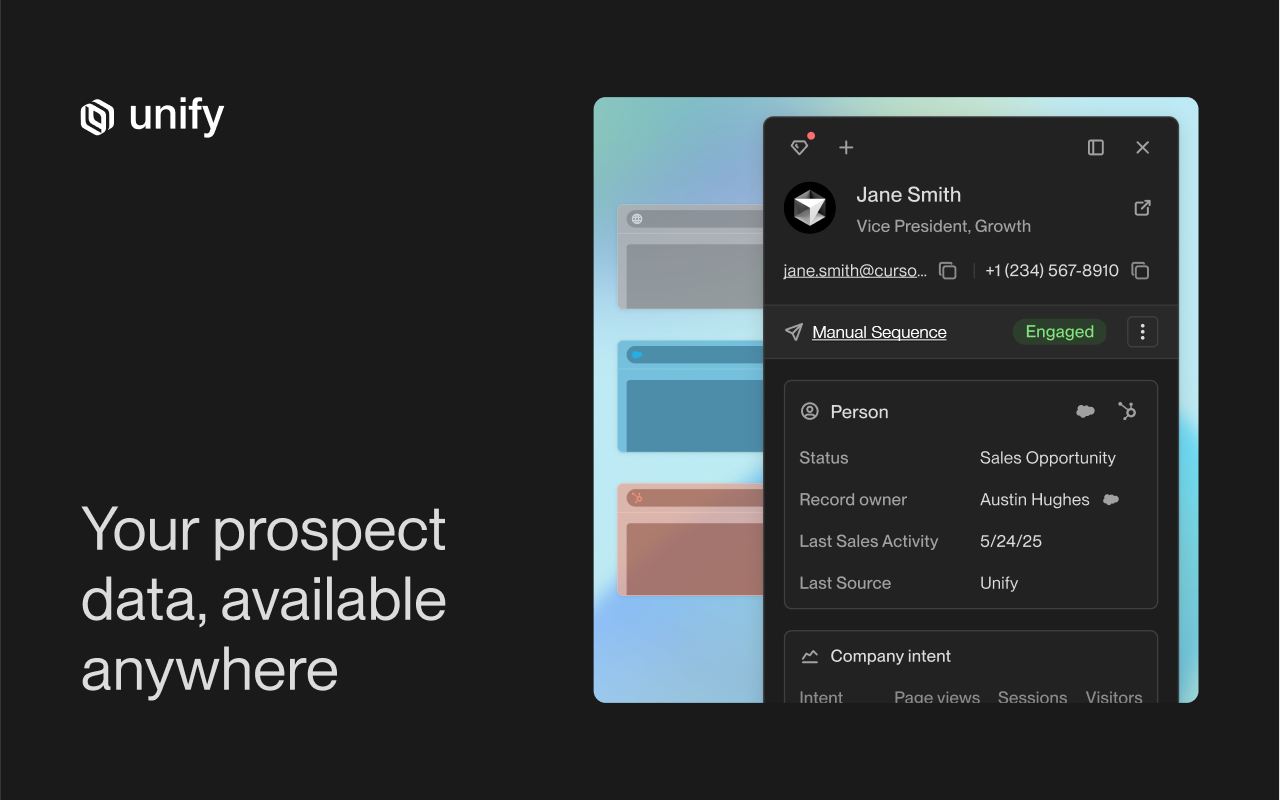
<img src="https://mintcdn.com/unify-19/5ofVWQAKPdYyQU9S/images/reference/browser-extension/default.png?fit=max&auto=format&n=5ofVWQAKPdYyQU9S&q=85&s=1e5360969e77406e8c2e1847c8c9fb9a" width="1280" height="800" data-path="images/reference/browser-extension/default.png" />

Unify offers a native Chrome extension.
Some notable features of the extension include the ability to:

* View details about any Company or Person in your Unify instance
* Enroll People into Sequences
* Add Companies and People to Plays
* Add People to Unify through enrichment
* Manually add new Companies and People to Unify

## Installation

<Card title="Install Unify on the Chrome Web Store" icon={<ChromeLogo />} href="https://chromewebstore.google.com/detail/unify/badmdkkfomlfkcbjegcfjaoeegifdbmm" arrow="true" />

## Usage

The extension can be used anywhere on the web. Let's explore a few examples:

<CardGroup cols={2}>
  <Card title="The web" icon="globe" href="/reference/browser-extension/web">
    Lookup Companies in Unify and add them to Plays as soon as you discover them
    on the web.
  </Card>

  <Card title="Salesforce" icon={<SalesforceLogo />} href="/reference/browser-extension/salesforce">
    Surface the corresponding Company or Person in Unify for Accounts, Contacts,
    & Leads in Salesforce.
  </Card>

  <Card title="HubSpot" icon={<HubspotLogo />} href="/reference/browser-extension/hubspot">
    Surface the corresponding Company or Person in Unify for Companies &
    Contacts in HubSpot.
  </Card>
</CardGroup>
